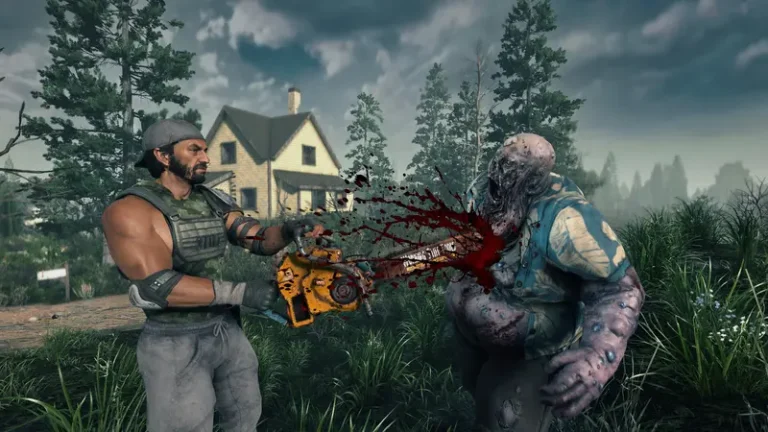
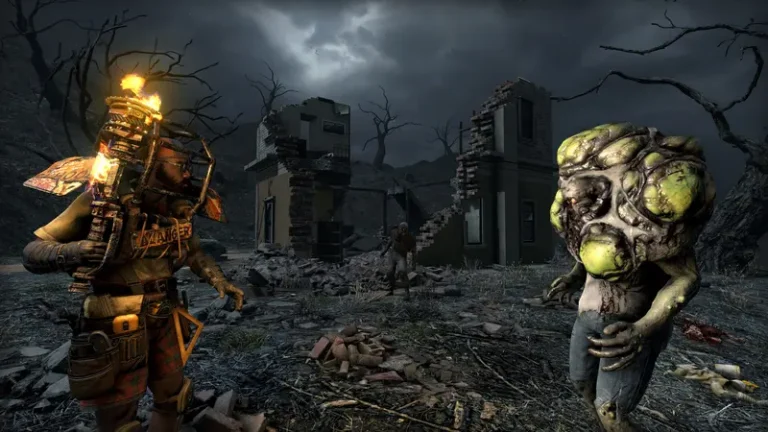
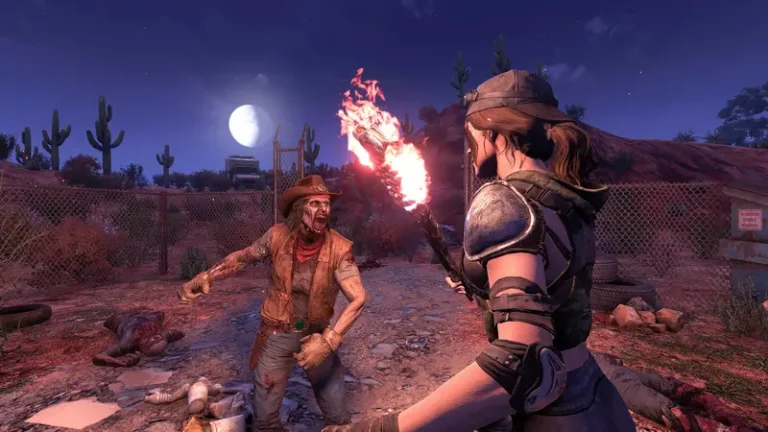
The biggest 7 Days to Die update of 2026 is here in beta. On Monday, June 15, 2026, The Fun Pimps opened the experimental branch for V3.0 “Dead Hot Summer”, with a stable release targeted for Monday, June 29, 2026. If you run a 7 Days to Die V3 server, one change matters more than any flashy feature: the way you configure your server is being rewritten. This guide walks through what is actually shipping, the new SandboxCode system that replaces dozens of legacy settings, and exactly how to opt in and prepare without breaking your community’s world.
Before anything else, a naming correction. You may have seen this update called “Sandbox Siege” in older dev diaries and third-party wikis. That was a dropped working title. The official shipping name is V3.0 “Dead Hot Summer.” Use that name everywhere.
Is V3.0 released yet? Status and dates
No. V3.0 is not on the stable branch. As of today, June 15, 2026, it is available only on the opt-in experimental beta. The stable release is a target, not a shipped build, and The Fun Pimps explicitly flagged the date as conditional (“barring show-stopping bugs or certification issues”). Treat June 29 as a goal that could slip, and do not tell players V3.0 is the live version.
Here is the official schedule as published by The Fun Pimps:
| Milestone | Date |
|---|---|
| Streamer Weekend (500+ streamers) | June 12–14, 2026 |
| Steam Experimental (opt-in) | June 15, 2026 (today) |
| Steam & Console Stable Release (target) | June 29, 2026 |
For context: the first reveal of “Dead Hot Summer” came in a TFP forum dev diary on February 27, 2026. V2.6 Stable shipped March 23, 2026, and remains the recommended live build until V3.0 goes stable. The official release notes landed June 11, 2026, confirming the headline number of 150 sandbox customization options.
What’s actually in V3.0 (and what isn’t)
The headline feature is 150 sandbox customization options. An early April teaser said “well over 100”; the shipped figure is 150. These span eight categories — Player, Entity, World, Resources, Crafting, Traders, Tasks, and Misc — and cover serious knobs alongside pure novelty. You can tune zombie speed by time of day, feral sense, blood moon frequency, range and count, loot abundance, repair and degradation, vehicle damage, and even gravity. On the silly end there are toggles like Big Heads, Chibi Zombies, and black-and-white mode.
To make those options approachable, V3.0 ships 10+ official presets, including Undead Matinee, Madmole’s Mayhem, Almost Creative Mode, Bite Club (perma-death), Legacy Survival, 7 Days Later, Caveman’s Life, Dumpster Diver, Dying World, Disaster Film, and Chibi Mode. (Source counts vary between 10 and 11, so “10+” is the honest framing.)
Other confirmed additions:
- Item Magnitude loot system — looted gear can roll boosted stats (orange star plus a teal percentage), with optional Repair & Degradation that permanently chips away durability.
- 60+ new POIs plus reworked world generation.
- Sign-Tech — a POI signage overhaul plus a player signage system with text, decals, shapes, and a color picker.
- M60 turret — the one confirmed new weapon, which uses all 7.62 ammo types.
- UI overhaul — a darker redesigned main menu, customizable crosshair, and an XUi rework.
Just as important is what V3.0 does not include, because these are commonly misreported. There are no bandits (still a separate, undated work-stream), no story or quest mode, and no new biome. World generation was reworked, but no new biome was announced — any “new biome” content you may have seen came from third-party mods, not The Fun Pimps.
The big one: serverconfig.xml and the new SandboxCode
This is the change that genuinely breaks server admin habits. In V3.0, the dozens of granular gameplay properties you used to set individually in serverconfig.xml have been removed and replaced by a single new property called SandboxCode.
Previously you would hand-edit lines like GameDifficulty, XPMultiplier, BloodMoonFrequency, LootAbundance, drop-on-death, and the zombie move-speed values directly in the XML. In V3.0, that whole block of legacy properties is gone. (Sources disagree on the exact number removed — citing 20, 29, or 34 — so the honest statement is “dozens of legacy properties.”) Instead, gameplay settings are encoded into one compact SandboxCode string.
The new workflow looks like this:
- Open the in-game Sandbox Options menu and configure your difficulty, blood moon cadence, loot, XP, and the rest visually.
- Copy the generated code the menu produces.
- Paste that string as the value of the
SandboxCodeproperty in yourserverconfig.xml.
Here is the support gotcha worth tattooing on your forearm: an un-migrated config reportedly falls back silently to default / Adventurer difficulty. In other words, if you update a server to V3.0 and never paste in a new SandboxCode, your hardcore community could log in to find the server quietly running easy mode, with no error to warn you. (This behavior is reported by third parties, so verify it against the live official notes — but plan as if it’s true.)
Wipe or continue? Save compatibility
A hard forced wipe is reportedly not mandated — third-party sources say the release notes include instructions to carry a V2.6 server forward. That said, the genuinely new content (the 60+ POIs, Sign-Tech, the reworked random world generation) only appears in newly generated chunks. To actually experience the new world, you should plan a fresh map at stable launch. And remember: saves do not load backward, so a tested backup is your only rollback path.
Mods, overhauls, and EAC
The UI overhaul, Sign-Tech, Item Magnitude, and the serverconfig → SandboxCode migration all mean that modlets and DLL overhauls — Darkness Falls, Undead Legacy, Ravenhearst and friends — will need updating or re-certification for V3.0. Do not let modded servers auto-update. Wait for the mod authors to ship V3.0-compatible builds, or pin the server to V2.6 until they do.
On anti-cheat: there is no confirmed V3.0-specific EAC change. Only the normal cross-version rule applies — your client (app 251570) and server (app 294420) builds must match, or players will hit version-mismatch and anti-cheat errors. And as always, EasyAntiCheat must be turned off to run DLL overhauls, which you set in serverconfig.xml with EACEnabled set to false.
How to opt into the V3.0 experimental branch
There is no separate V3-specific branch. V3.0 ships on the long-standing experimental branch named latest_experimental.
Steam client (game, app 251570): right-click 7 Days to Die in your Library → Properties → Betas → under Beta Participation, select latest_experimental - Unstable build. Steam downloads it automatically. No password is currently required for the public June 15 opt-in (the earlier streamer build was private).
Dedicated server via SteamCMD (app 294420):
steamcmd +force_install_dir "C:\7DtDServer" +login anonymous +app_update 294420 -beta latest_experimental validate +quitTo go back to (or stay on) stable, just omit the -beta flag entirely:
steamcmd +force_install_dir "C:\7DtDServer" +login anonymous +app_update 294420 validate +quitThe golden rule: client and server must be on the same build — both experimental, or both stable. Mismatched builds are the number-one cause of “can’t connect” reports on launch day. If you would rather skip the SteamCMD ceremony entirely, a managed host lets you flip between branches with one click; our 7 Days to Die server hosting plans handle the experimental switch and automatic updates for you, and back up your world before each one.
Server owner prep checklist
- Back up everything — world, saves, and
serverconfig.xml. Test the restore; there is no backward load. - Record your current V2.6 settings before updating, because the granular properties are being removed and you’ll re-enter them in the Sandbox Options menu.
- Update the dedicated server via SteamCMD (app 294420) using the commands above.
- Re-create your settings in the in-game Sandbox Options menu, copy the code, and paste it into
SandboxCode. Skip this and you may silently drop to default difficulty. - Plan a fresh map at stable launch to get the full new-content experience.
- Modded servers: hold all updates until your overhauls are re-certified, and keep EAC off for DLL mods.
- Keep production and community servers on V2.6 Stable until June 29. Run V3.0 on a separate test server now.
For step-by-step config file walkthroughs and panel screenshots, our 7 Days to Die documentation covers serverconfig.xml, admin setup, and branch switching in detail.
Frequently asked questions
Is 7 Days to Die V3.0 released?
Not on stable. V3.0 “Dead Hot Summer” launched to the opt-in experimental beta branch on June 15, 2026. The stable release is targeted for June 29, 2026, but that date is conditional and could slip. Until then, V2.6 Stable remains the recommended live build.
What is the SandboxCode property?
It’s a single new serverconfig.xml property that replaces dozens of legacy individual settings (difficulty, blood moon frequency, XP, loot abundance, and more). You configure everything in the in-game Sandbox Options menu, copy the generated code, and paste it as the SandboxCode value. If you don’t, your server may silently fall back to default Adventurer difficulty.
How do I opt my server into V3.0?
Update the dedicated server (SteamCMD app 294420) with -beta latest_experimental, and have players set the same branch under Properties → Betas in their Steam client (app 251570). Client and server must run the same build.
Does V3.0 force a server wipe?
Reportedly no — instructions exist to continue a V2.6 server. But new POIs, Sign-Tech, and the reworked world gen only appear in freshly generated chunks, so a new map is the only way to see the new world. Saves don’t load backward, so back up first.
Does V3.0 add bandits or a new biome?
No. There are no bandits, no story/quest mode, and no new biome in V3.0. World generation was reworked, but bandits remain a separate, undated work-stream.
Should I update my modded server right away?
No. Overhauls like Darkness Falls, Undead Legacy, and Ravenhearst need updating for V3.0. Don’t auto-update modded servers — wait for compatible builds, keep EAC off for DLL mods, and pin to V2.6 in the meantime.
See the bigger picture: our 7 Days to Die 2026 roadmap covers V3.0, console parity and what's next.
Ready to play?
Run your own 7 Days to Die server with XGamingServer
Spin up an always-on 7 Days to Die server your friends can join in minutes — no port-forwarding, no tech headaches.