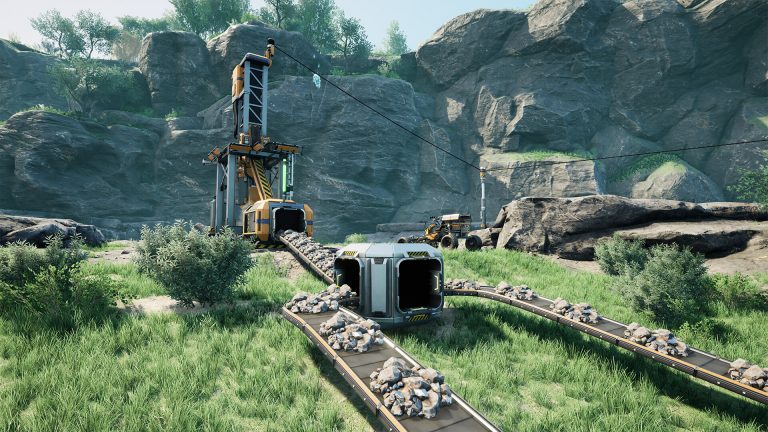
Satisfactory multiplayer lag almost always comes down to one thing: the machine acting as host can’t keep up with the factory it’s simulating. Whether you see clients rubber-banding, items stuttering on belts, or the whole session freezing during an autosave, the underlying cause is usually a host that’s short on CPU headroom, RAM, or upload bandwidth. This guide walks through what actually causes lag in a co-op factory, how to diagnose it, and the concrete fixes that work, including why a dedicated server is the most reliable cure.
Host vs dedicated server: where lag comes from
Satisfactory supports two ways to play together: a player-hosted session (a “listen server”, where one player’s game both runs the world and lets them play) and a PC-only dedicated server that runs the world with no player attached. The official wiki notes the game is built around supporting up to four players, with no hard cap (config edits make far higher numbers theoretically possible but not practical).
On a listen server, the host has a built-in advantage: zero ping, no desync, instant feedback. Everyone else’s experience depends entirely on that host’s PC and, critically, their home internet upload speed. As your factory grows, the host has to continuously tell every other client where each item, vehicle, and machine state is. That’s a heavy, constant data stream, and most residential connections choke on it long before the factory looks “big.” The result is classic client rubber-banding: you walk forward, then snap back, because your position never got acknowledged in time.
A dedicated server removes the host’s PC from the equation. It runs the simulation on hardware chosen for the job, on a connection built for sustained uploads, and it doesn’t pause when a player logs off. If your group is past two or three casual players, or your factory has scaled into the late game, a properly specced managed Satisfactory host is the single biggest lag fix available.
Large factories and the simulation bottleneck
Satisfactory’s world updates on ticks, and the wiki is explicit that while the dedicated server is multi-threaded, the core game loop is still fundamentally single-threaded, with most work happening on ticks. That has a direct consequence: factory simulation performance is gated by single-core CPU speed, not by how many cores you have.
This is why a mega-factory full of belts, splitters, and conveyor lifts will lag a machine that handles a small base perfectly. Every belt item and machine is part of that single-threaded tick. When the CPU can’t finish a tick on time, the simulation rate drops, and that shows up to players as belts stuttering, machines visibly hitching, and inputs feeling delayed. The fix is faster per-core performance, not more cores. The wiki recommends a CPU with a single-thread rating of roughly 2000 or higher and notes the server “heavily favors high single-core performance.”
Ping, bandwidth, and the hidden throttle
Two different network problems get lumped together as “lag”:
- Latency (ping): the delay between your action and the server’s response. High ping causes rubber-banding and laggy interactions even on a healthy simulation. Choose a server location close to your players.
- Bandwidth/throttling: not enough sustained throughput to carry the state updates. The wiki documents a default per-connection send rate of 64 KB/s, and a config workaround that raises it: up to about 800 Mbit/s (config value 104857600) on capable machines, or a more conservative ~480 KB/s (value 480000) for lower-end machines or connections. This edit has to be applied by all players to take effect, and is version-dependent, so confirm the current config keys against the wiki before changing them.
Before editing anything, set Network Quality to Ultra in the in-game options. The wiki lists this as a first-line lag fix, and it’s a one-click change with no config risk.
RAM and CPU: server-side fixes
RAM rarely causes ongoing tick lag, but running out of it causes hangs, failed autosaves, and crashes. The official wiki baseline is 8 GB RAM, with 16 GB recommended for larger saves or hosting more than four players. Storage for the server files is about 12.4 GB on Windows; an SSD is strongly preferred because save writes that hang on slow disks are a common cause of the periodic freeze-on-autosave everyone feels at once.
| Symptom | Most likely cause | Fix |
|---|---|---|
| Belts/machines stutter, inputs delayed | Single-core CPU can’t finish ticks (large factory) | Faster per-core CPU; move to a dedicated server |
| Client rubber-banding, position snaps back | High ping or host upload saturated | Closer server; set Network Quality to Ultra |
| Everyone freezes briefly, periodically | Save write hanging on slow disk | SSD/NVMe storage; managed host |
| Random hangs/crashes over time | Out of RAM on large save | 16 GB+ for large saves / 4+ players |
Ports and connectivity
If players can’t connect at all or drop repeatedly, it may be a port issue rather than performance. As of Patch 1.1.0.0, a dedicated server uses port 7777 (TCP/UDP) for game traffic and the API, plus port 8888 (TCP) for reliable messaging. The older query and beacon ports, 15000 and 15777, have not been used since Patch 1.0 (port 8888 was added later, in Patch 1.1.0.0). The game port can be changed with the -Port startup parameter. Full setup and connection steps are in the Satisfactory server docs, and if your server simply won’t appear in the list see our server not showing up guide.
For exact spec planning, our RAM, CPU and ports requirements guide breaks down what to provision at each factory stage.
Frequently asked questions
Why does my factory get laggier the bigger it gets?
Because the game loop is fundamentally single-threaded and most work happens on each tick. Every belt item and machine has to be simulated within a tick, so a larger factory needs more single-core CPU time. When the CPU can’t finish ticks fast enough the simulation slows, which you feel as stuttering belts and delayed inputs. Adding more cores won’t help; faster per-core performance will.
Will a dedicated server fix my multiplayer lag?
For most groups, yes. A listen server’s performance is limited by one player’s PC and home upload speed, which can’t sustain the state updates a growing factory generates. A dedicated server runs the world on appropriate hardware and a connection built for uploads, removes the host advantage/disadvantage split, and keeps the factory running even when everyone logs off.
How much RAM do I need to host without lag?
The wiki baseline is 8 GB, with 16 GB recommended for larger saves or more than four players. RAM mainly prevents hangs and failed saves rather than smoothing ticks, so pair adequate RAM with a strong single-core CPU and SSD storage for the best result.
Ready to play?
Run your own Satisfactory server with XGamingServer
Spin up an always-on Satisfactory server your friends can join in minutes — no port-forwarding, no tech headaches.