
Like many survival games Sons of the Forest requires you to hunt and kill animals for food and resources, fortunately there is a way to enable a vegan/vegetarian mode on your Sons of the Forest server which allows you to play the game without harming any animals and in this article we will show you how to enable vegan/vegetarian mode on your server!
How to enable Vegan/Vegetarian mode on your server:
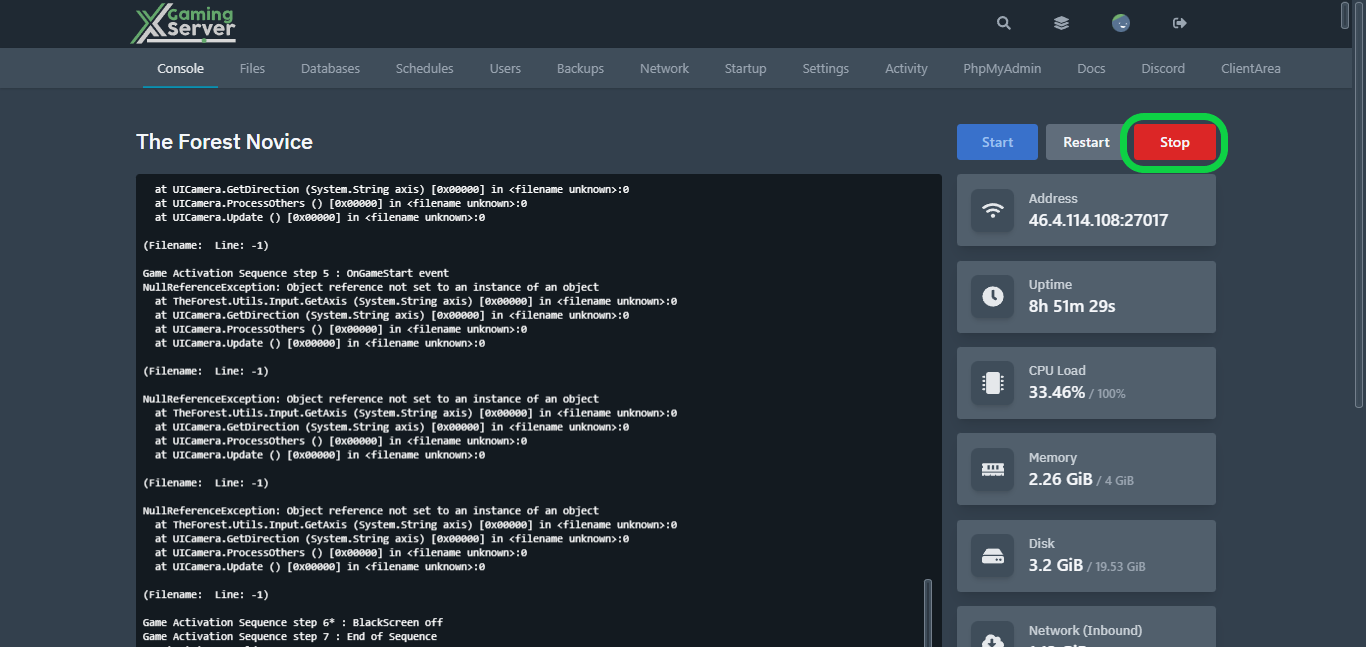
1- Go to your server’s control panel, then hit “Stop” to stop your server
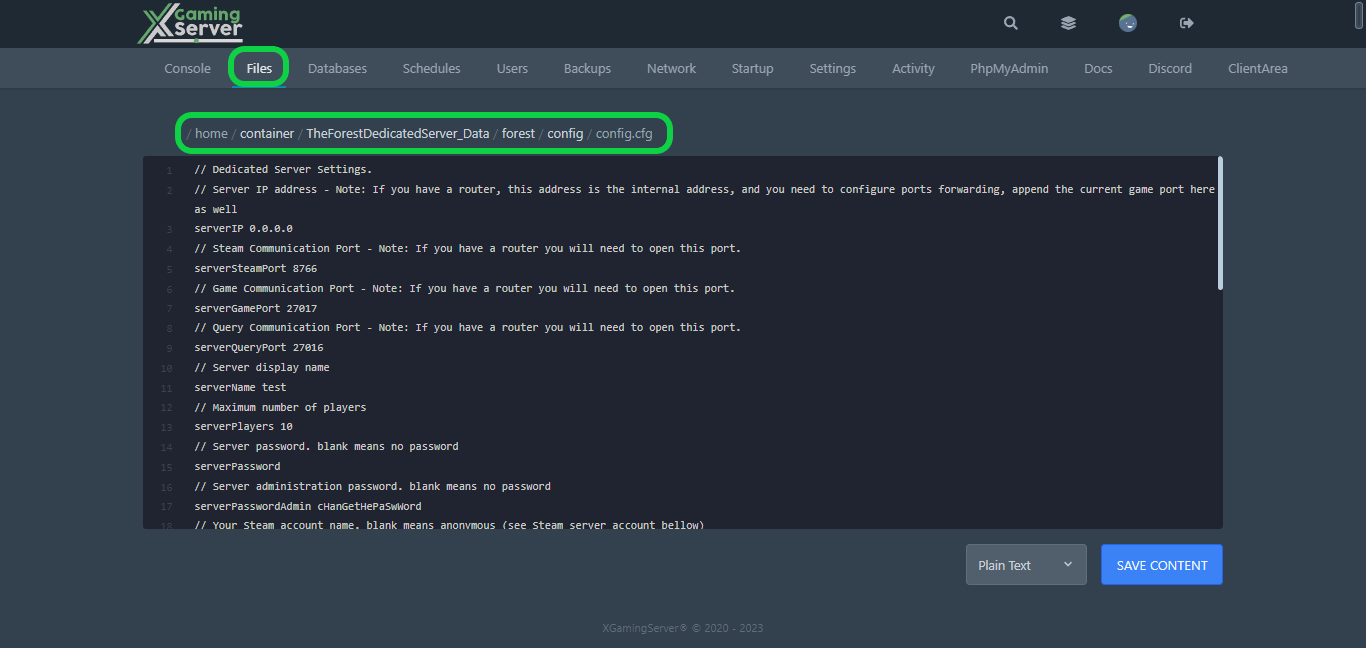
2- Go to the “Files” tab, then go into this directory “TheForestDedicatedServer_Data/forest/config/config.cfg“
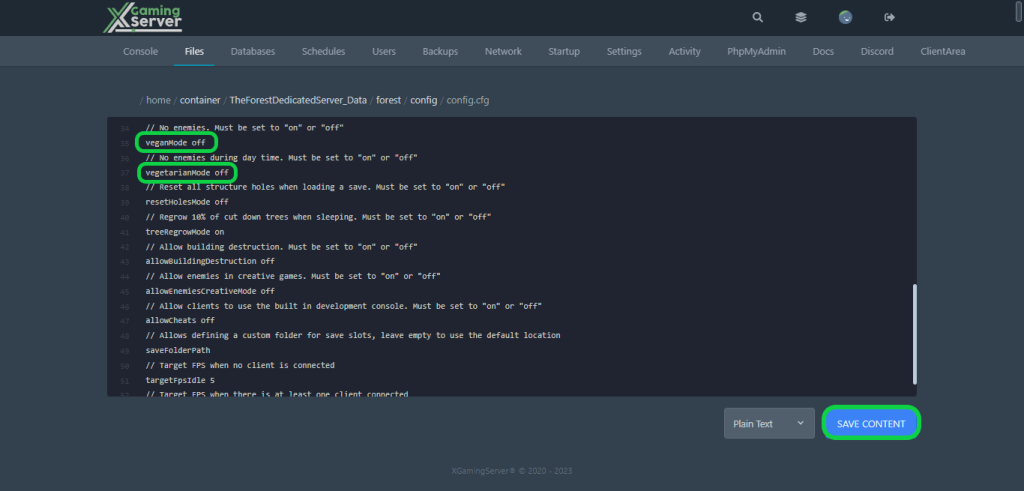
3- Choose your desired mode by indicating either “veganMode” or “vegetarianMode“, then toggle it “on” or “off” as needed, then hit “Save Content“
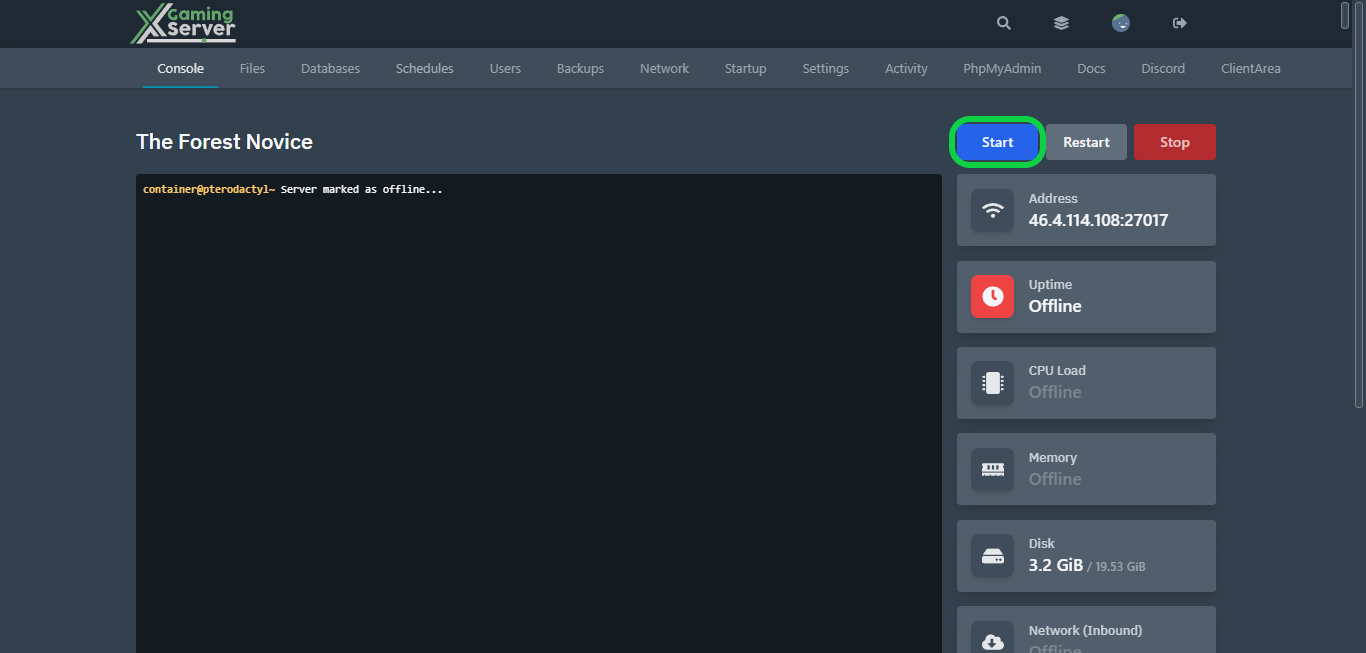
4- Go to the “Console” tab, then hit “Start” to start your server
If you need any help with your service don’t hesitate to contact us through our support tickets
Ready to play?
Run your own The Forest server with XGamingServer
Spin up an always-on The Forest server your friends can join in minutes — no port-forwarding, no tech headaches.