When you order the Subnautica Nitrox server and click start for the first time the server won’t start.
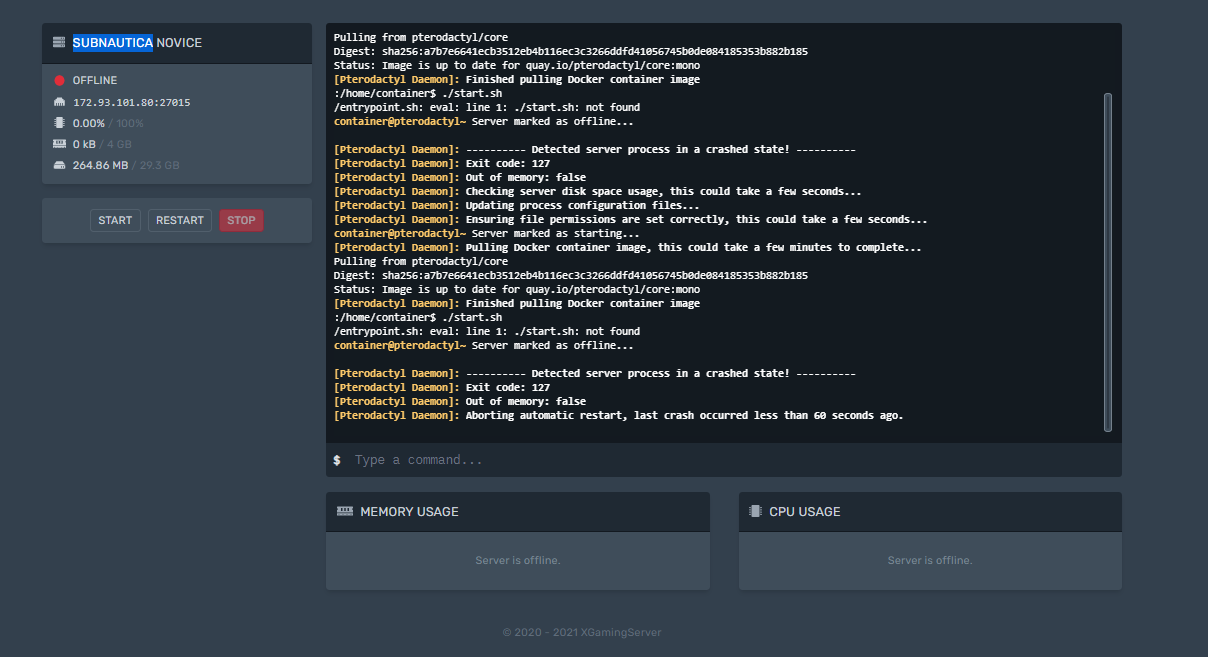
Reason Subnautica Server not starting
To download the base game files for Subnautica, you will need to authenticate against Steam. Because of the normally active Steamgaurd protection, it is important to enter the Steamgaurd code. Once the initial installation is complete, you will need to enter the Steamguard code that will be emailed to you and then reinstall the server.
How to finish Subnautica Server installation.
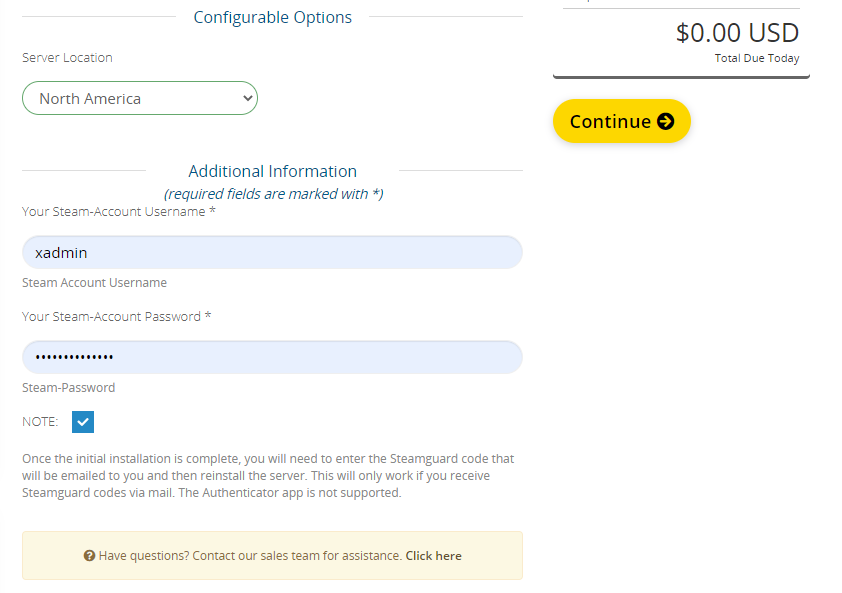
- On the order form, you will be required to enter the following.
Your steam Account Username
Your steam account Password.
2. After the Subnautica server has been installed, You’ll need to enter Steam Guard Code
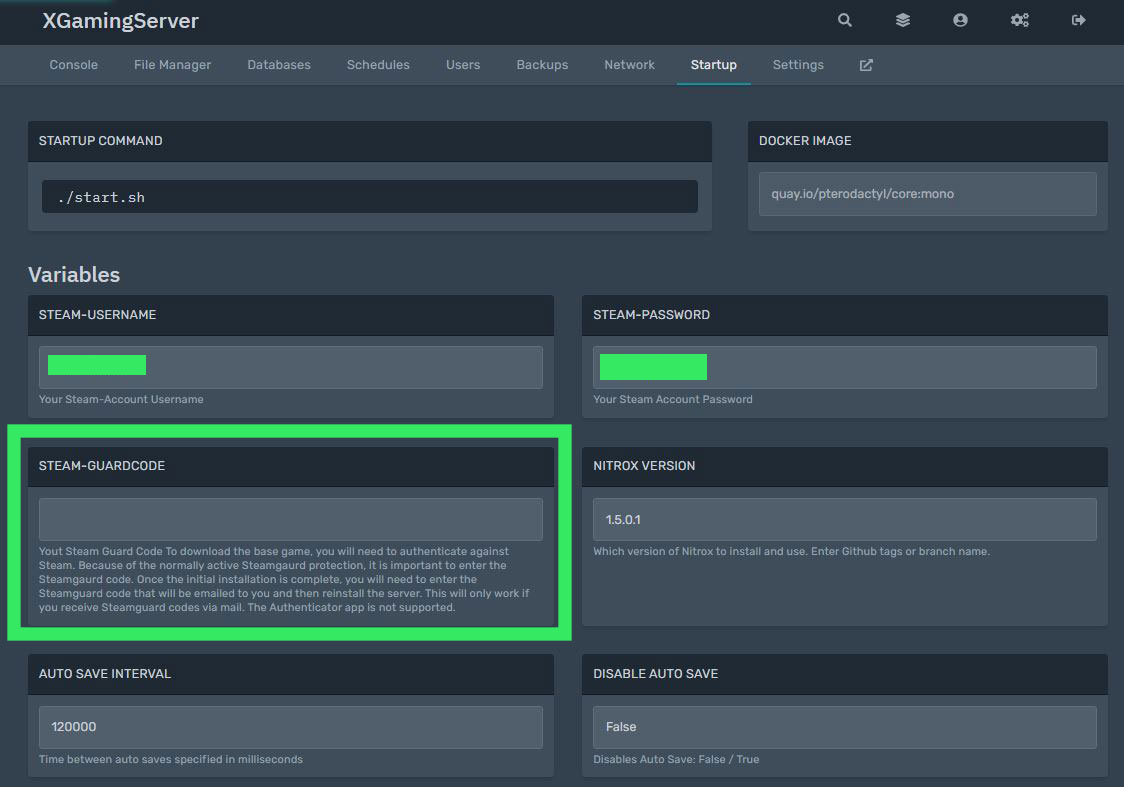
which you have received by email.
3. After you have entered the steam Guard Code you’ll need to reinstall the Subnautica server for the server to download the based game files
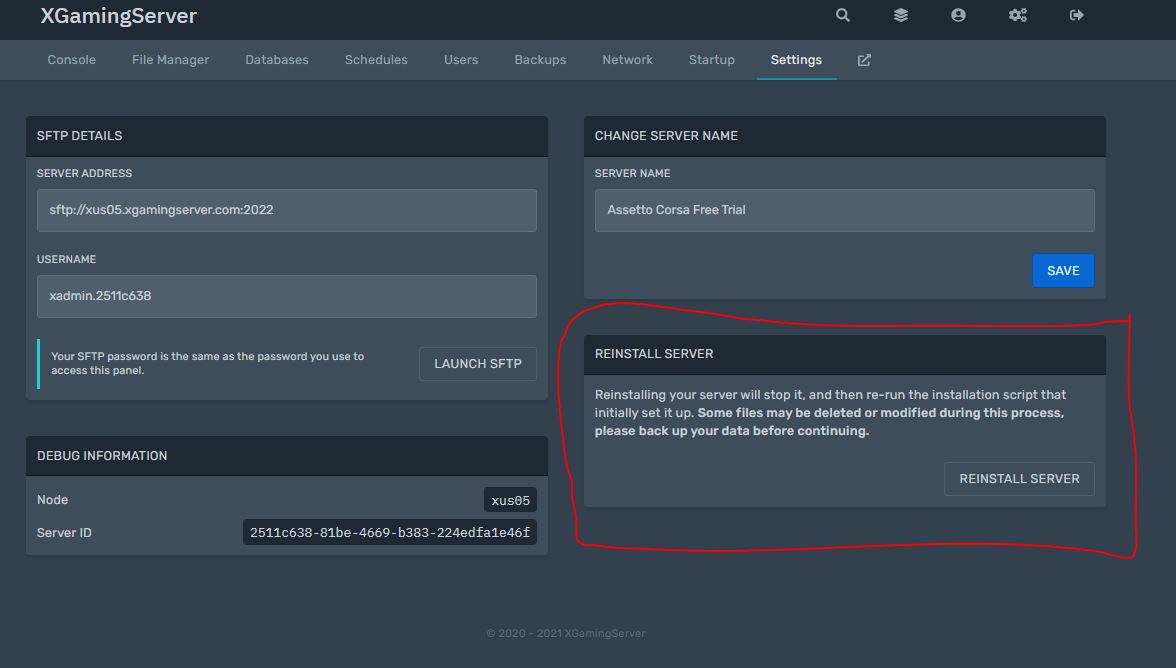
Now you can start your Server. Happy Gaming.
Looking for a Subanutica nitrox Server? Rent with us
Ready to play?
Run your own Subnautica 2 server with XGamingServer
Spin up an always-on Subnautica 2 server your friends can join in minutes — no port-forwarding, no tech headaches.