Changing your server’s default map can transform your gaming experience. In this article we will show you how to effortlessly change the map!
How to change the default map
1- Open your server’s control panel.
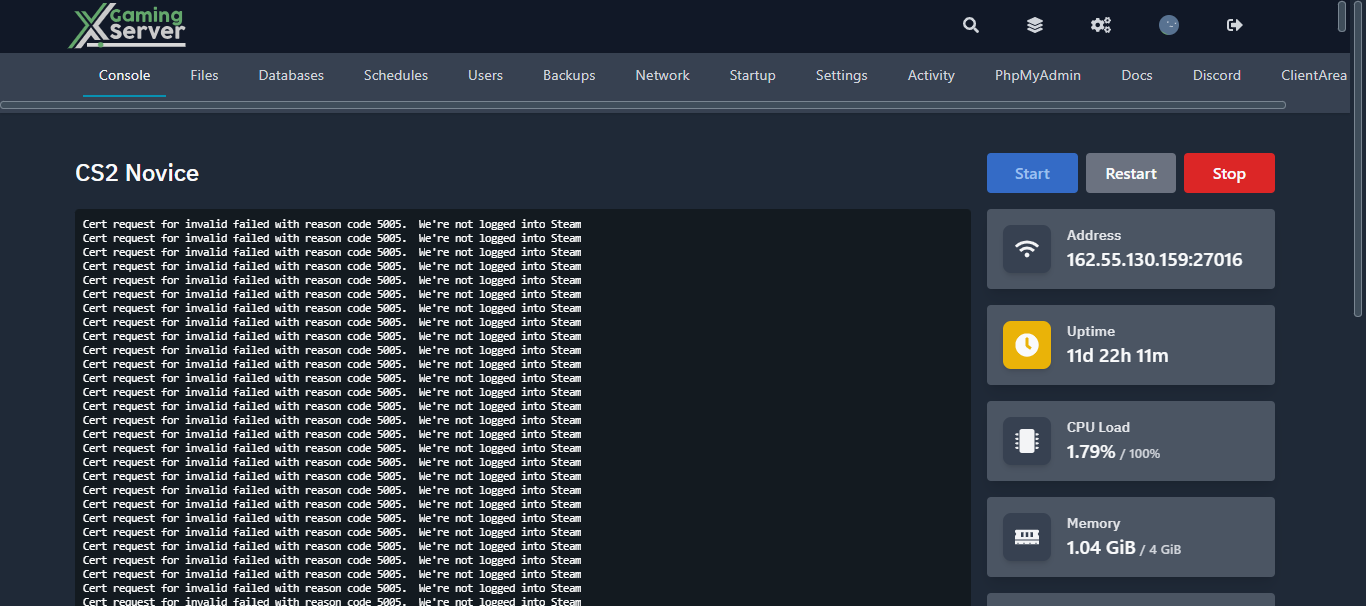
2- Go to the “Startup” tab.
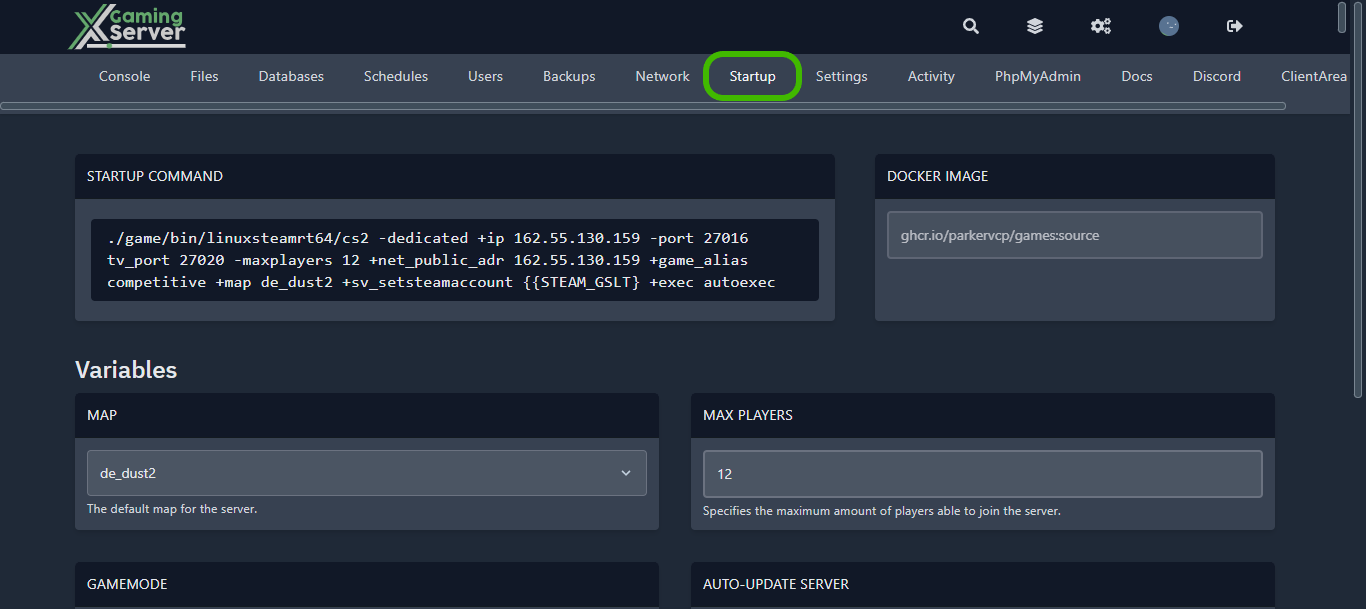
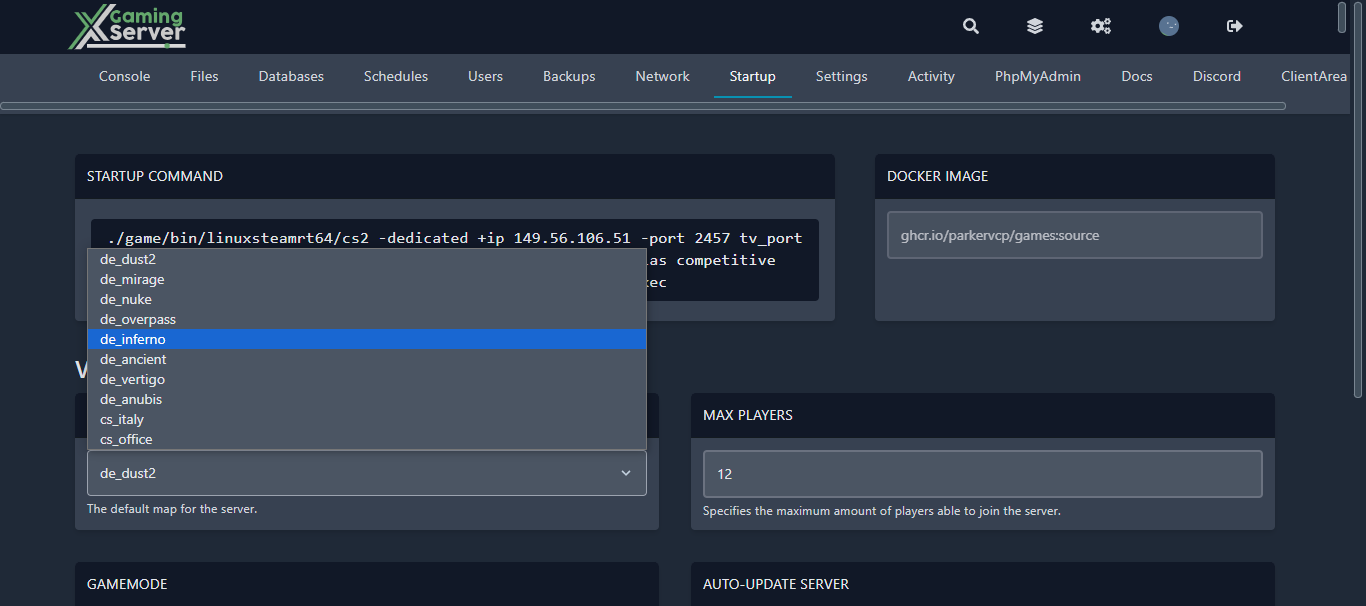
3- You will be able to change the server map from the “MAP” section.
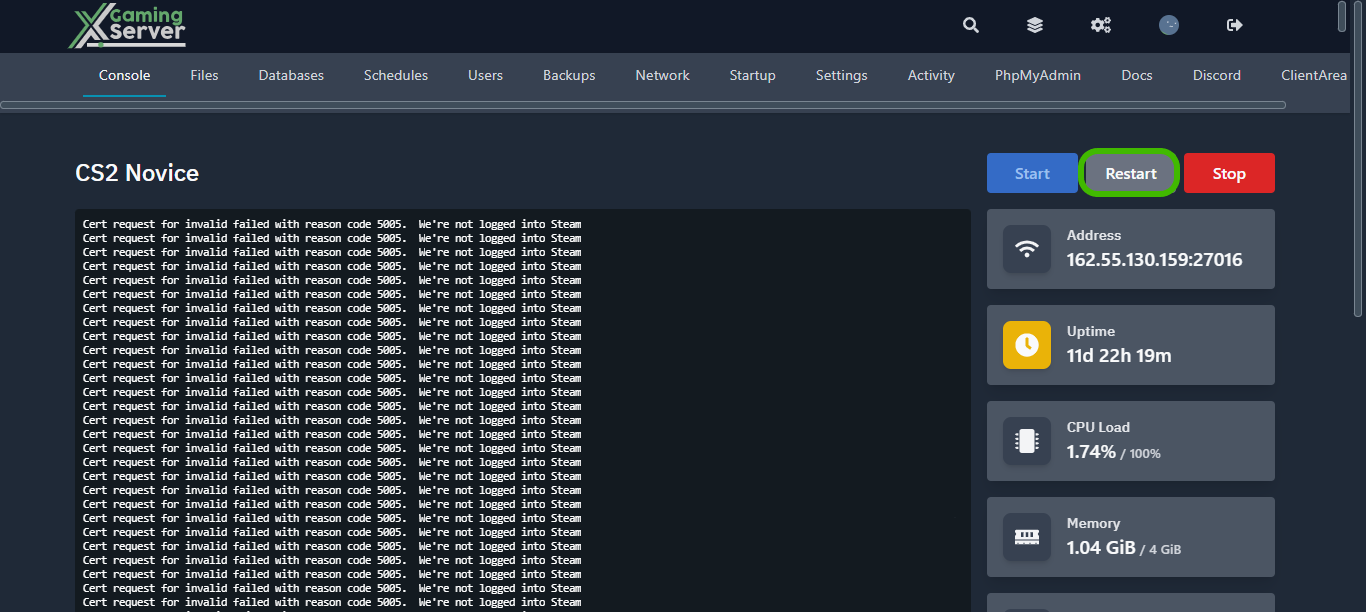
4- After changing it, go back to the console page, and click on “Restart” to restart and apply the changes.
If you experience any difficulties while following this article, please feel free to reach out by opening a ticket. Our support team will promptly respond and assist you!
Ready to play?
Run your own CS2 server with XGamingServer
Spin up an always-on CS2 server your friends can join in minutes — no port-forwarding, no tech headaches.
99.9%Uptime SLA
< 5 minInstant setup
24/7Human support
DDoSProtected
Instant setup
Your server is live in minutes with a one-click control panel.
Mods & plugins
Install mods, plugins and workshop content in a few clicks.
DDoS protected
Enterprise DDoS mitigation keeps your server online 24/7.
Low-latency hardware
Premium CPUs & NVMe SSDs for lag-free multiplayer.
Free backups
Automatic backups so your world is never lost.
Real human support
Gamers helping gamers — 24/7, no bots, no scripts.