

Learn how to configure your Minecraft server with Paper-world-defaults.yml, this article provides a guide to the various configuration options available in the file which allows you to customize your server and improve its performance!
How to configure the Paper-world-defaults.yml file:
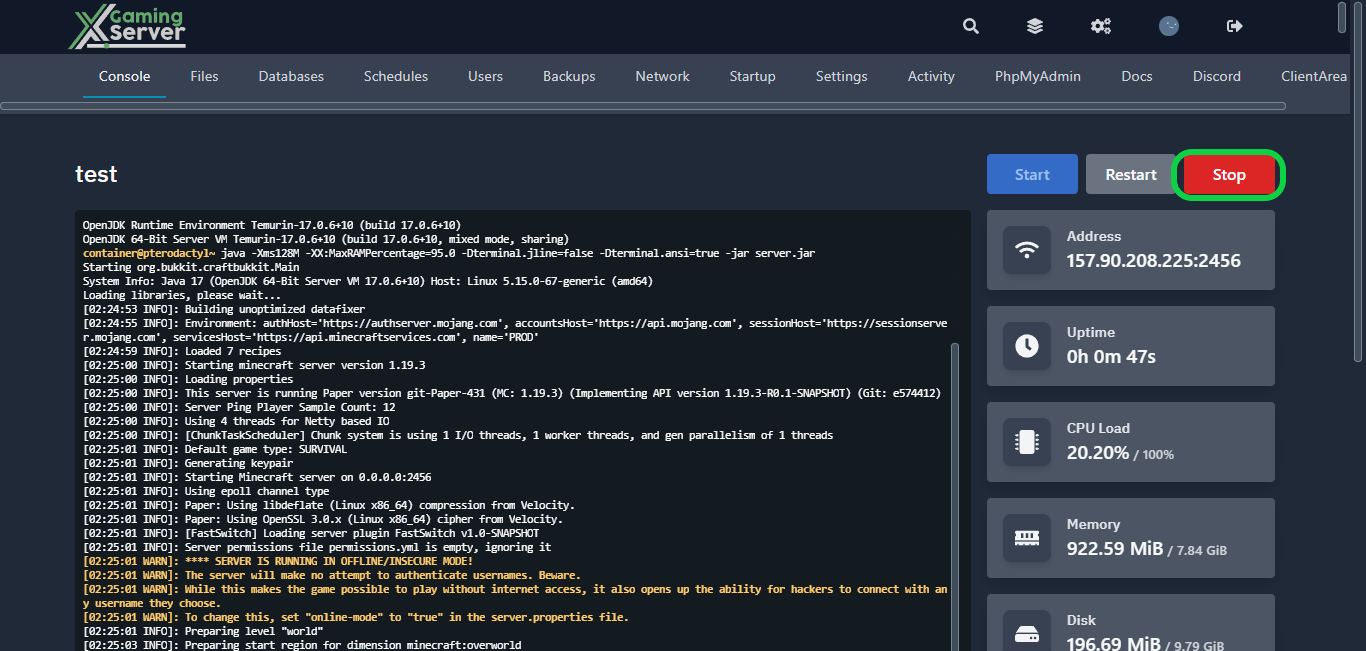
1- Go to your server’s control panel, then hit “Stop” to stop your server
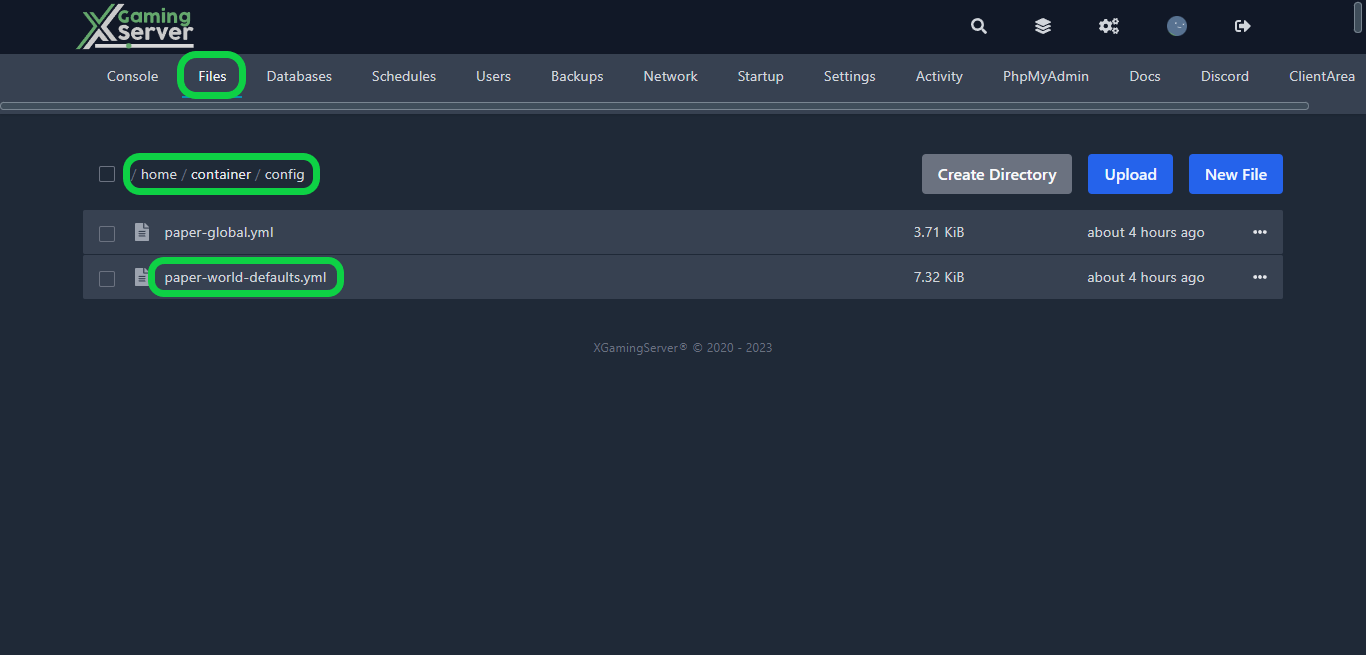
2- Go to the “Files” tab, then go to “config” and open “paper-global.yml“
From here, you’ll have complete control over customizing some aspect of your game. Here’s a list of the things you can customize.
_version: specifies the version of the Paper software being used.
anticheat: a section for configuring anti-cheat measures, such as anti-xray settings.
chunks: a section for configuring chunk-related settings, such as entity-per-chunk-save limits and auto-save intervals.
collisions: a section for configuring collision-related settings, such as maximum entity collisions and player cramming damage.
entities: a section for configuring entity-related settings, such as spawner-nerfed-mobs-should-jump and zombies-target-turtle-eggs.
mob-effects: a sub-section of entities for configuring mob effect settings, such as which mobs are immune to certain effects.
spawning: a sub-section of entities for configuring spawning-related settings, such as despawn ranges and alt-item-despawn-rate.
3- After configuring your settings, hit “Save Content“, then start your server
If you need any help with your service don’t hesitate to contact us through our support tickets at https://billing.xgamingserver.com/submitticket.php
Free Minecraft Tools
Speed up your server with our free Minecraft tools:
Ready to play?
Run your own Minecraft server with XGamingServer
Spin up an always-on Minecraft server your friends can join in minutes — no port-forwarding, no tech headaches.






