

“Minecraft achievements” is a feature that provides players with goals to achieve in the game. they can be achieved by doing things like making specific items or exploring specific places and we will show you how to completely disable it from your server in this article!
How to disable achievements on your server:
1- go to your server’s control panel
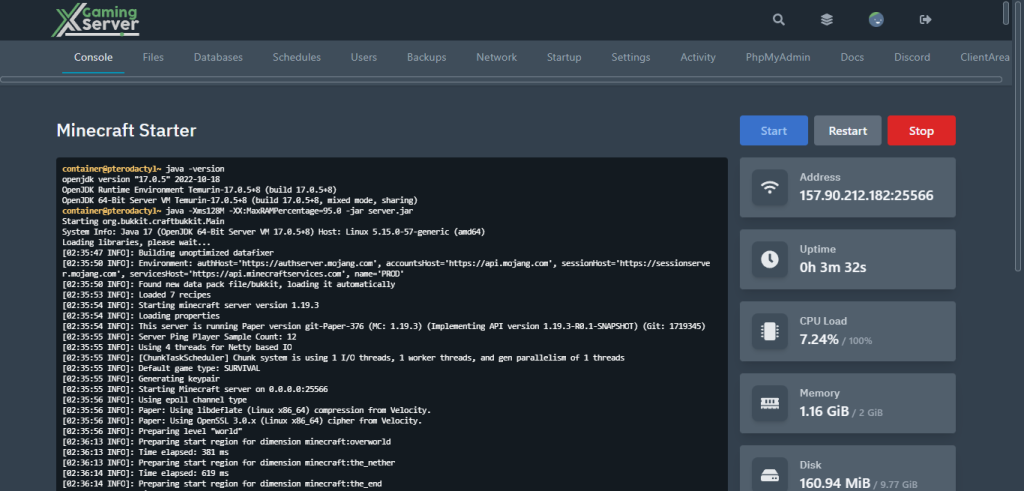
2- type in the “Console” “gamerule announceAdvancements false” then press enter
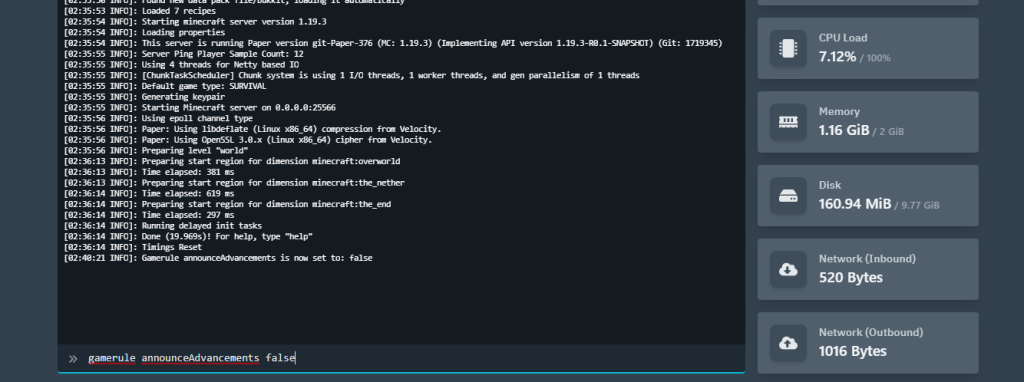
And just like that we have disabled the achievements feature on our server!
If you need any help with your service don’t hesitate to contact us through our support tickets at https://billing.xgamingserver.com/submitticket.php
Free Minecraft Tools
Speed up your server with our free Minecraft tools:
Ready to play?
Run your own Minecraft server with XGamingServer
Spin up an always-on Minecraft server your friends can join in minutes — no port-forwarding, no tech headaches.






