
As a Sons of The Forest server admin one of your responsibilities is to maintain a healthy and enjoyable gaming environment for all players, unfortunately there may be times when some players violate the rules or disrupt the gameplay and you need to take action to remove them from the server that’s why in this article we will show you how to kick or ban players from your Sons of The Forest server!
How to kick/ban players your server:
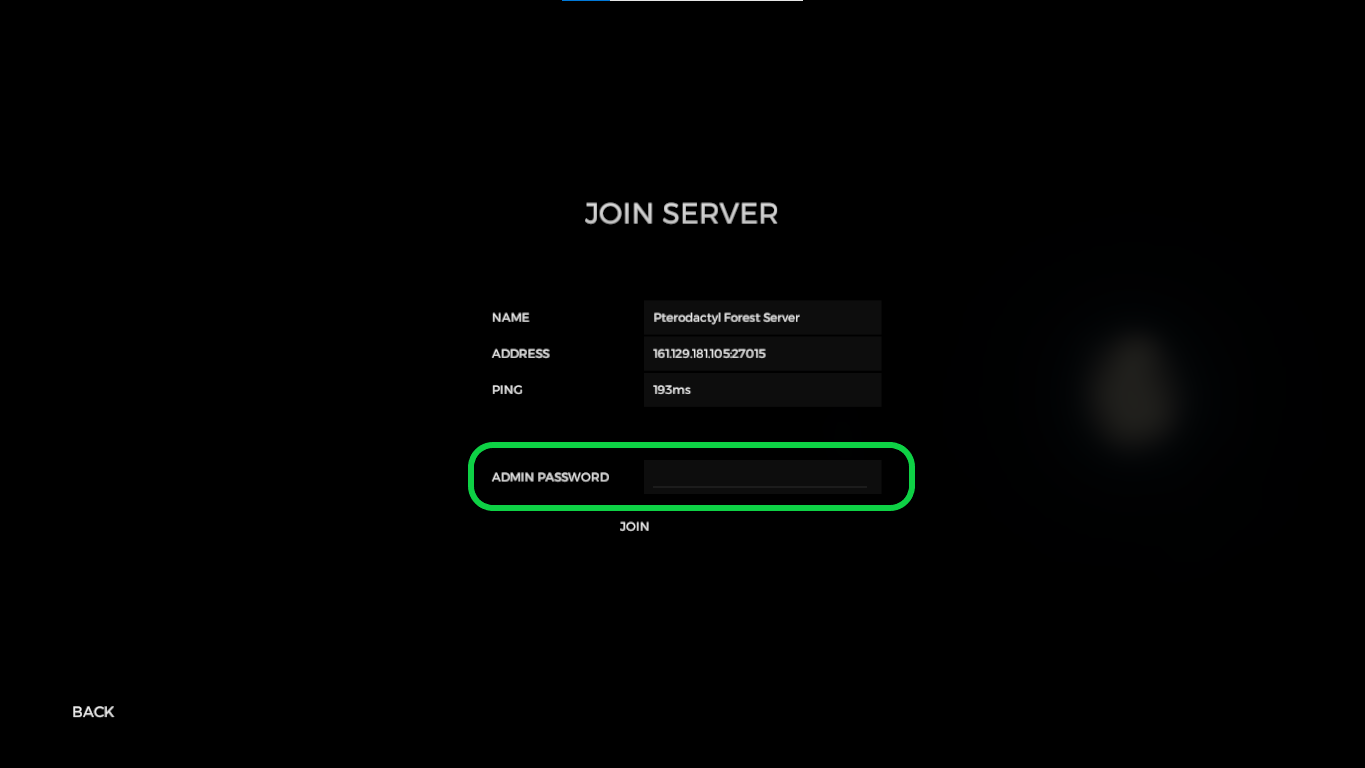
1- Join your server as an Administrator
2- To perform the action, first press the Enter key, and then type in either /kick, /ban, or /unban, followed by the Steam ID of the player
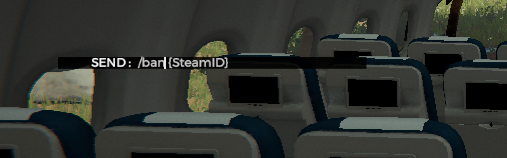
Note: You can get your player’s SteamID from here: https://steamid.io/lookup
If you need any help with your service don’t hesitate to contact us through our support tickets
Ready to play?
Run your own The Forest server with XGamingServer
Spin up an always-on The Forest server your friends can join in minutes — no port-forwarding, no tech headaches.