Have you installed GMod Server and you would like to mount CSS to your server? Then this guide will help you do just that.
- Locate the CSS files on your PC
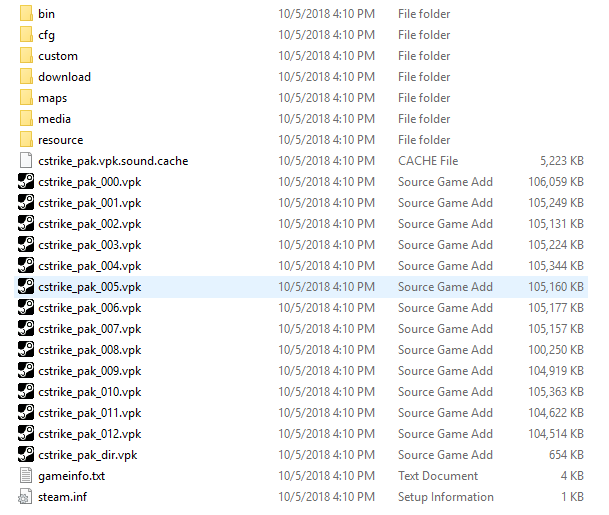
2. Add the files to a zip folder using 7zip.
3. Open the game panel, go to the garrys mod server and get your SFTP credentials. This guide will help you connect to SFTP client so that you can upload your zipped CSS folder to the server
4. Unzip the file
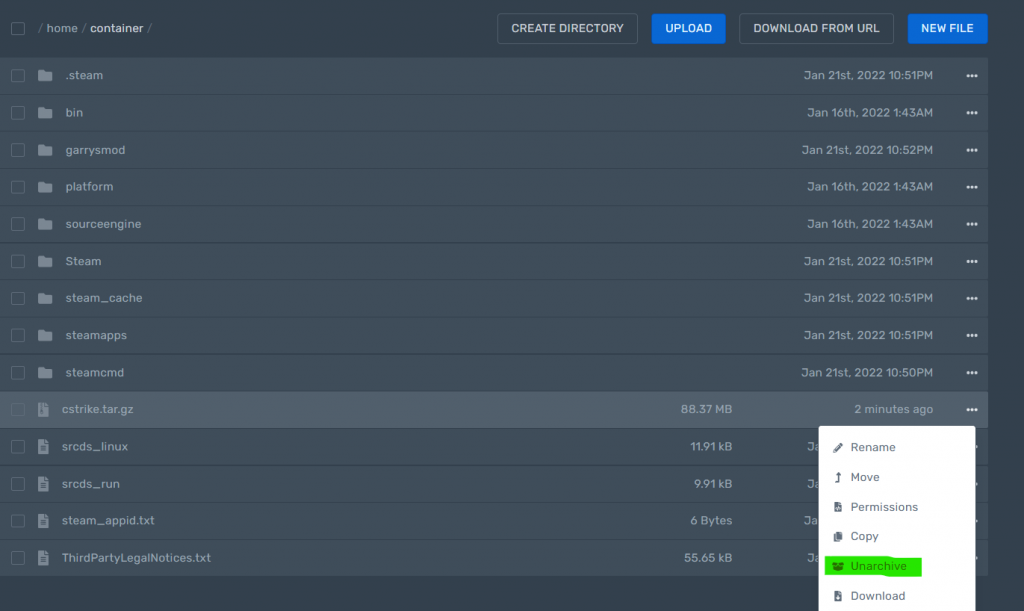
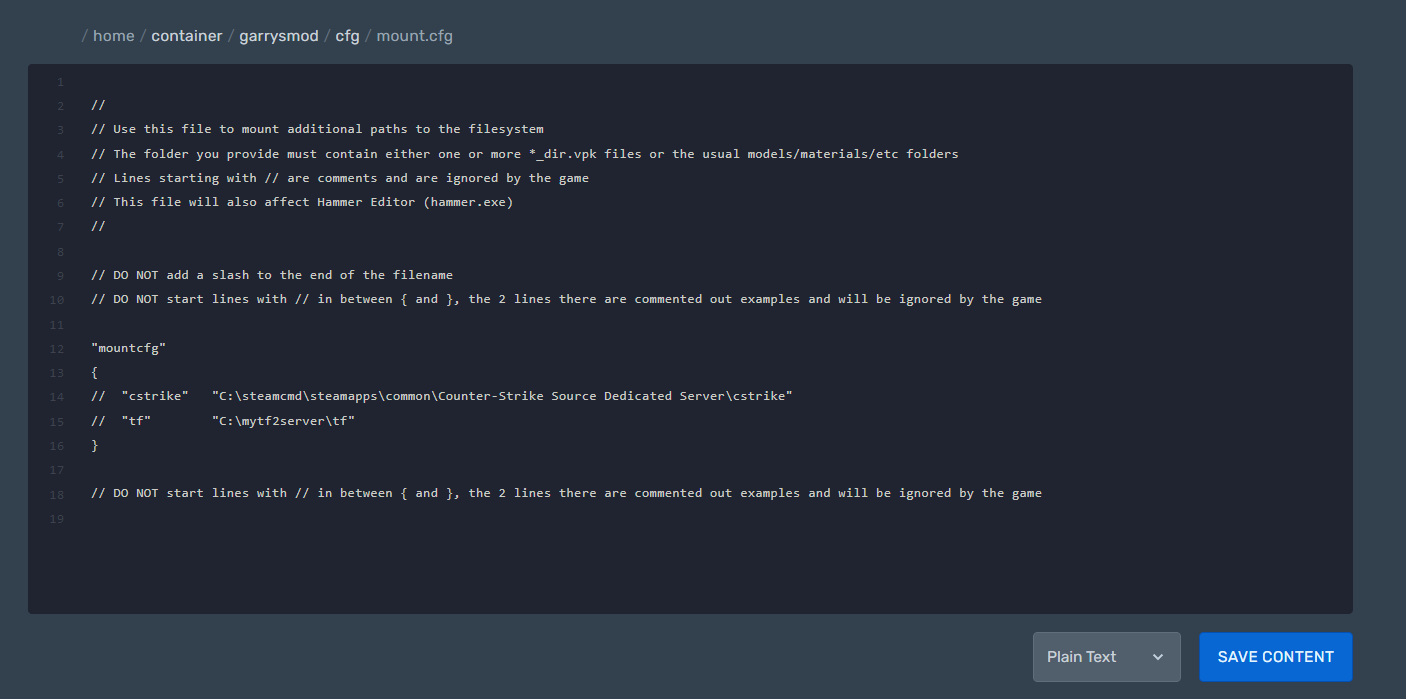
5. Locate and edit mount.cfg located under the path /home/container/garrysmod/cfg/mount.cfg
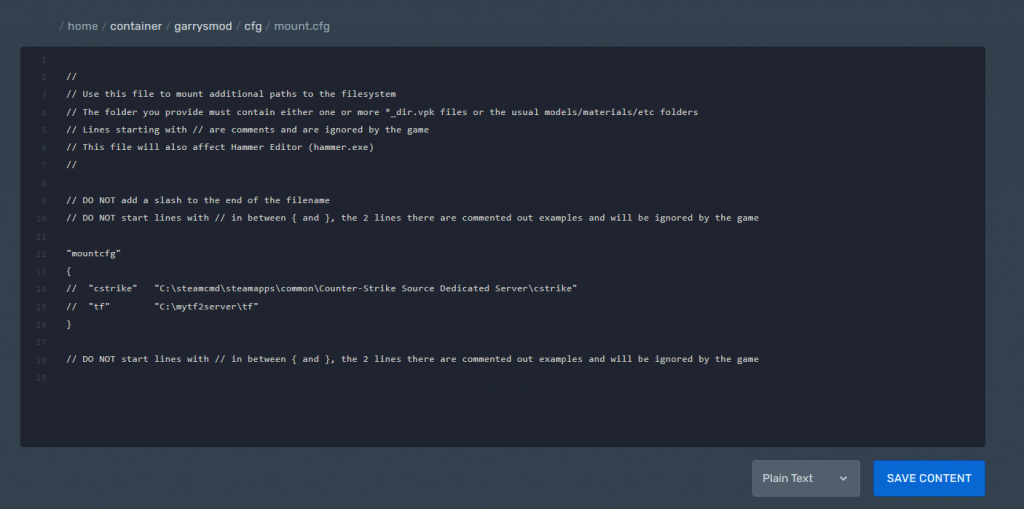
6. Change the line
“cstrike” “C:\steamcmd\steamapps\common\Counter-Strike Source Dedicated Server\cstrike”
to
"mountcfg"
{
 "/home/container/cstrike"
"tf" "C:/mytf2server/tf"
 }
7. Save and reboot your server.
8. Congratulations you have installed CSS on your Gmod server
Ready to play?
Run your own Garry's Mod server with XGamingServer
Spin up an always-on Garry's Mod server your friends can join in minutes — no port-forwarding, no tech headaches.