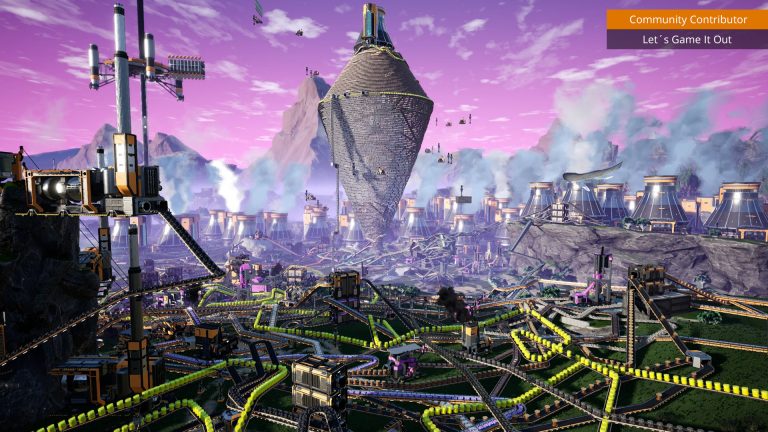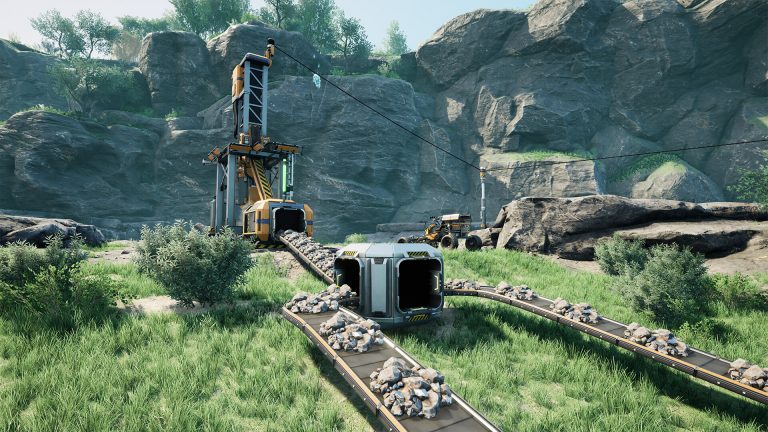
Spaghetti factories are a rite of passage in Satisfactory, but they become a nightmare the moment you need to expand a line or add a new product. The fix is not perfectionism, it is structure: a consistent grid, repeatable building blocks, generous spacing and a plan for growing upward. This guide covers the layout habits that keep a factory clean from your first Smelter to a Tier 9 megabase, with every dimension verified against the official wiki.
Start With the Foundation Grid
Everything clean begins with foundations. A standard foundation is 8 m by 8 m, and there is a half-size 4 m by 8 m variant for tighter fits. Heights come in 1 m, 2 m and 4 m, which lets you build flat platforms or stepped terraces. Crucially, the whole game’s snapping system is built around this 8 m module: walls are 8 m wide so they line up perfectly with a foundation edge, and machines are sized to sit inside multiples of it.
To keep an entire base aligned, lean on the world grid. Holding Ctrl while placing a foundation oriented to a cardinal direction aligns it to the world grid, which snaps to the nearest 800 cm (8 m) horizontally and the nearest 100 cm (1 m) vertically. Set your first foundation on that grid and every later platform, even ones built hundreds of meters away, will line up with it. That single habit prevents the slow drift that makes belts cross at ugly angles.
Two build-mode features speed up flooring without sacrificing precision. Zoop mode places up to 10 foundations at once in a line, so you can lay a whole floor in a few clicks. And when you do want curves, foundations support fine-rotation in 5-degree increments for spirals and circular designs. Use Zoop for the bulk grid; save rotation for intentional set pieces, not your main production hall.
Size Your Bays Around the Machines
Clean layouts come from knowing how much room each machine actually needs and rounding up to whole foundations. The footprints below are from the wiki; in practice you add a foundation or two of clearance around them for belts, power and walkways. Note that the Manufacturer’s construction hitbox is only 8 m tall even though the model is taller, which is why you can stack a floor closer above it than its silhouette suggests.
| Building | Footprint (W x L) | Height | Foundations to allocate |
|---|---|---|---|
| Constructor | 7.9 m x 9.9 m | 8 m | ~1 x 2 tiles |
| Assembler | 9 m x 16 m | 11 m | ~2 x 2 tiles |
| Manufacturer | 18 m x 20 m | 12 m (8 m hitbox) | ~3 x 3 tiles |
The takeaway: a Constructor fits comfortably on a single 8 m tile, an Assembler wants a 2×2 block, and Manufacturers are large enough that you should design their bays first and fit everything else around them. Pick a row width that comfortably holds your biggest machine plus its belts, then reuse that width everywhere so floors stack neatly.
Build in Modular Bays
The single most scalable pattern is the production bay: a fixed-size block (say 4×8 or 8×8 foundations) that holds one product line, with inputs entering one short side and finished parts leaving the other. Standardize the bay and you can copy it across the map, slot bays side by side, and always know where a belt will arrive. Leave one full empty foundation lane between bays for belts, splitters and a walkway. That gap feels wasteful early but it is what lets you add a machine later without tearing anything out.
Decide on a belt routing convention and stick to it. A manifold (one belt feeding machines in series via splitters) is simple and self-balancing over time, while a load balancer splits evenly and saturates instantly. For how those compare in practice, see our logistics guide on belts, splitters and manifolds. Whatever you choose, route input belts along one edge and output along another so your bays never cross their own feeds.
Go Vertical Early
Floor space is the resource that runs out first, and the map punishes sprawling single-level bases with long belt runs. Building up keeps machines close and lines short. Conveyor Lifts move items vertically; a single lift spans roughly 4 m to 48 m, and by routing it through Floor Holes you can chain past that limit to effectively any height (capped only by the world’s vertical extent). Because foundations snap on a 1 m vertical step, you can place a new floor a precise number of meters above the last and have lifts land exactly where you want them.
A practical multi-floor pattern: dedicate the ground floor to raw inputs and smelting, intermediate floors to sub-assemblies, and the top to final products and storage. Keep all your vertical lifts in one or two “riser” columns rather than scattering them, so the busiest belts stay in known locations. Match your lift Mark to the throughput of the line feeding it.
| Belt / Lift Mark | Throughput (items/min) |
|---|---|
| Mk.1 | 60 |
| Mk.2 | 120 |
| Mk.3 | 270 |
| Mk.4 | 480 |
| Mk.5 | 780 |
| Mk.6 | 1200 |
Plan for Expansion From Day One
Scalable factories reserve space they are not using yet. Lay extra foundation floor beyond your current footprint, leave empty bays in the row, and run trunk belts and power lines slightly oversized. Power especially: position machines so a new bay can tap an existing line rather than rerouting everything. For sizing your grid, see the power guide from biomass to nuclear, and to anticipate which products you’ll need next, the progression guide to milestones, tiers and the Space Elevator.
The biggest force multiplier for repeatable layouts is the Blueprint Designer, unlocked through FICSIT Blueprints at Tier 4 (Mk.1), Tier 6 (Mk.2) and Tier 9 (Mk.3). It lets you design a chunk of factory once and stamp copies across your base. The interior boundary, which is the actual buildable volume, grows with each Mark:
| Blueprint Designer | Unlock | Buildable boundary |
|---|---|---|
| Mk.1 | Tier 4 | 32 m x 32 m x 32 m |
| Mk.2 | Tier 6 | 40 m x 40 m x 40 m |
| Mk.3 | Tier 9 | 48 m x 48 m x 48 m |
Design your standard bay to fit inside the boundary you have, then place it as a blueprint everywhere. New buildings can only be saved if they sit fully within the boundary frame, so build your modular bay to the grid and it will line up cleanly when stamped.
Frequently Asked Questions
What foundation size should I use as my base grid?
The standard 8 m by 8 m foundation is the natural module because walls, the world grid and machine spacing all align to it. Lay your first foundation with Ctrl held to snap to the world grid, then build outward from there so everything stays aligned over long distances.
How much space should I leave between machines?
Round each machine up to whole foundation tiles and add at least one foundation lane between bays for belts, power and walkways. A Constructor fits a single tile, an Assembler wants about 2×2, and a Manufacturer needs roughly 3×3 plus clearance, so size your rows around the largest machine you plan to use.
Should I build wide or tall?
Build tall once you have Conveyor Lifts. Vertical floors keep belt runs short and machines clustered, and lifts chained through floor holes can reach effectively any height. Reserve riser columns for your lifts and dedicate each floor to a stage of production for the cleanest result.
Layouts also matter more when several engineers are building at once. Running a persistent world on a dedicated Satisfactory server for your co-op group means a shared grid stays online whether or not the host is playing, so your modular bays keep producing around the clock. For setup walkthroughs, see the Satisfactory server documentation. New to the game? Start with our beginner guide to your first few hours.
Ready to play?
Run your own Satisfactory server with XGamingServer
Spin up an always-on Satisfactory server your friends can join in minutes — no port-forwarding, no tech headaches.