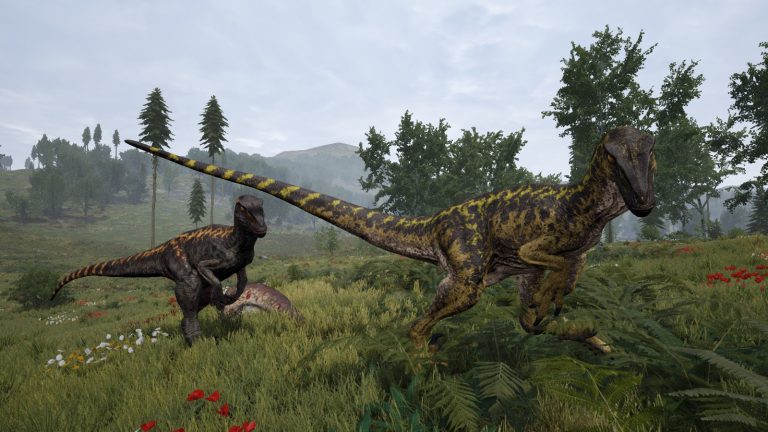
Proximity voice chat transforms The Isle Evrima — hearing a rival Rex growl from behind a treeline, or a packmate calling out through the fog, is the survival experience the game is built for. But Evrima has no reliable built-in server voice, so the question every server owner asks is: what’s the best way to get working VOIP on an Isle server, and will it survive the next update? This guide compares every option and shows you the setup that actually sticks.
Does The Isle Evrima have voice chat built in?
No — The Isle Evrima has no built-in player (microphone) voice chat. In-game, communication is deliberately done through your dinosaur’s calls and vocalisations — roars, broadcasts and species-specific sounds — not through your mic. That design keeps you role-playing as the animal, but it means any real voice comms have to be added on top of the game. That’s why community servers reach for an external VOIP solution — and why the type you pick matters so much, because some break every time Evrima updates.
The three ways to get Isle voice chat — compared
| Option | Proximity? | Survives updates? | Player install? |
|---|---|---|---|
| Discord | ❌ No (flat voice) | ✅ Yes | App + account |
| Third-party plugin (memory-reading) | ✅ Yes | ❌ Breaks every patch | Client mod |
| Browser proximity voice (XGVoice) | ✅ Yes | ✅ Yes | ❌ None — opens in a browser |
1. Discord — where most servers start
Nearly every Isle community already has a Discord, so it’s the default. It’s rock-solid and free — but it’s flat voice: everyone in the channel is equally loud regardless of in-game distance. There’s no sense of a predator sneaking up, no directional cue, no reason to whisper. For a game whose whole tension is sound and proximity, Discord throws that away. It’s fine as a lobby; it’s not immersion.
2. Third-party VOIP plugins / mods
Plugin-based Isle voice mods do give you proximity — but almost all of them work by reading the game’s memory to figure out where each player is. The problem: every time The Isle updates, the memory layout shifts, and the plugin breaks until someone reverse-engineers it again. If you’ve ever had voice die the morning after a patch, this is why. Players also usually have to install a client-side mod, which is a support headache for a mixed community. We break this down fully in why Isle voice plugins break after every update.
3. Browser-based proximity voice (XGVoice)
This is the approach we built to fix the plugin problem. XGVoice gives you full proximity voice — distance falloff and directional audio — but it runs entirely in the browser. There’s nothing to install, no Mumble or TeamSpeak server to run, and no client mod for players to download. Crucially, it matches players to your live server roster rather than reading game memory, so it keeps working across game patches instead of dying on update day. It’s included free on every XGamingServer Isle Evrima plan, and also available standalone at voip.xgaming.pro for servers hosted elsewhere.
What proximity voice actually changes in-game
| Behaviour | What players experience |
|---|---|
| Distance falloff | Nearby dinos are loud; distant ones fade out |
| Directional audio | Each voice comes from the side that player is on |
| Per-server rooms | Each server has its own isolated voice space |
| Latency | Under ~30 ms added on top of your connection |
The result is the version of The Isle people imagine before they buy it: you hear the herd, you hear the ambush, and voice becomes part of survival instead of a separate app on your second monitor.
How to set up proximity VOIP on your Isle Evrima server
On XGamingServer it’s built in — no ports, no plugins, no downloads:
- Open the Voice tab in your server panel. You’ll see a ready-to-share join link and code, e.g.
https://voip.xgaming.pro/j/76FD-439F. - Share the link (or QR code) in your Discord, rules channel or MOTD. It opens in any modern browser on phone or PC.
- Players join and allow the mic — they type their in-game name exactly as it appears in The Isle, and from then on hear nearby players louder, distant players quieter, panned by direction.
- (Optional) Show the code in the server browser so players see voice is available before they join — it appends a tag like
[voice 76FD-439F]to your server name.
Full walkthrough with screenshots: Setting up proximity voice on your Isle Evrima server.
Frequently asked questions
Is there an Isle Evrima VOIP mod?
Yes, plugin-based voice mods exist and give proximity, but most read the game’s memory and break with each Isle update, and they require players to install a client mod. Browser-based proximity voice (XGVoice) achieves the same immersion without a mod and without breaking on patches.
Do my players need to download anything?
No. Browser proximity voice opens in any modern browser on desktop or mobile — players just open the link, enter their in-game name and allow the microphone. Nothing to install, no account required.
Will it break when The Isle updates?
Browser proximity voice won’t — it’s driven by your server’s live player data, not by reading game memory, so it survives patches. Memory-reading plugins are the ones that break on update day.
Does it work on mobile?
Yes — the join link opens in a phone browser too, so players who aren’t at their PC can still be in voice.
Can I use it if my server is hosted elsewhere?
Yes — it’s available as a standalone service at voip.xgaming.pro. It’s included free on XGamingServer Isle plans, so if you’re hosting here you get it at no extra cost.
Does proximity voice replace Discord?
They do different jobs. Keep Discord for out-of-game coordination and announcements; use proximity voice for the in-game experience where distance and direction matter. Most servers run both.
The bottom line
For an immersive Isle server you want proximity voice — and you want the kind that doesn’t die every patch. Browser-based proximity voice gives you that with zero installs for players. It comes free on every XGamingServer The Isle Evrima hosting plan, alongside instant setup, mod support and DDoS protection. Spin up a server, drop the voice link in your Discord, and your community can hear the jungle the way it’s meant to sound.
Related guides
- Why Isle voice plugins break after every update
- The Isle Evrima dinosaur roster & tier list (2026)
- Docs: set up proximity voice step by step
Ready to play?
Run your own The Isle Evrima server with XGamingServer
Spin up an always-on The Isle Evrima server your friends can join in minutes — no port-forwarding, no tech headaches.