
Learn how to configure your Minecraft server using the Paper-global.yml file, this article will show you how to adjust various server settings!
How to configure the Paper-global.yml file:
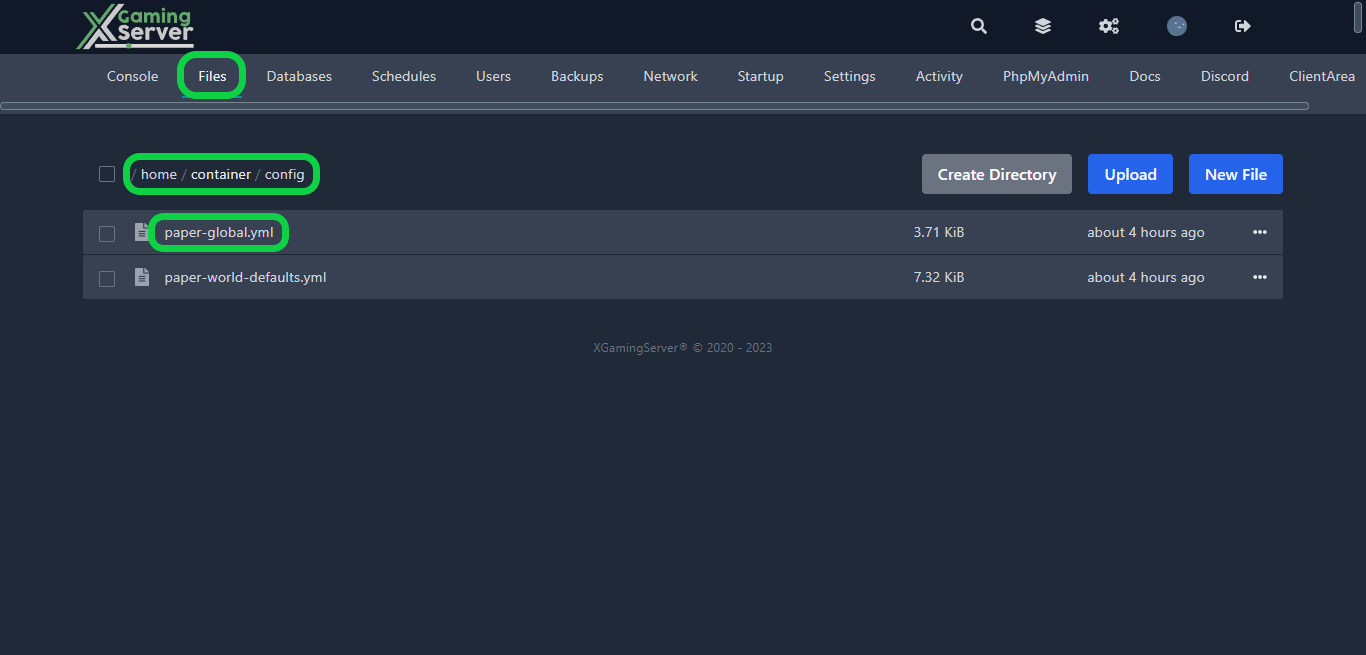
1- Go to your server’s control panel, then hit “Stop” to stop your server
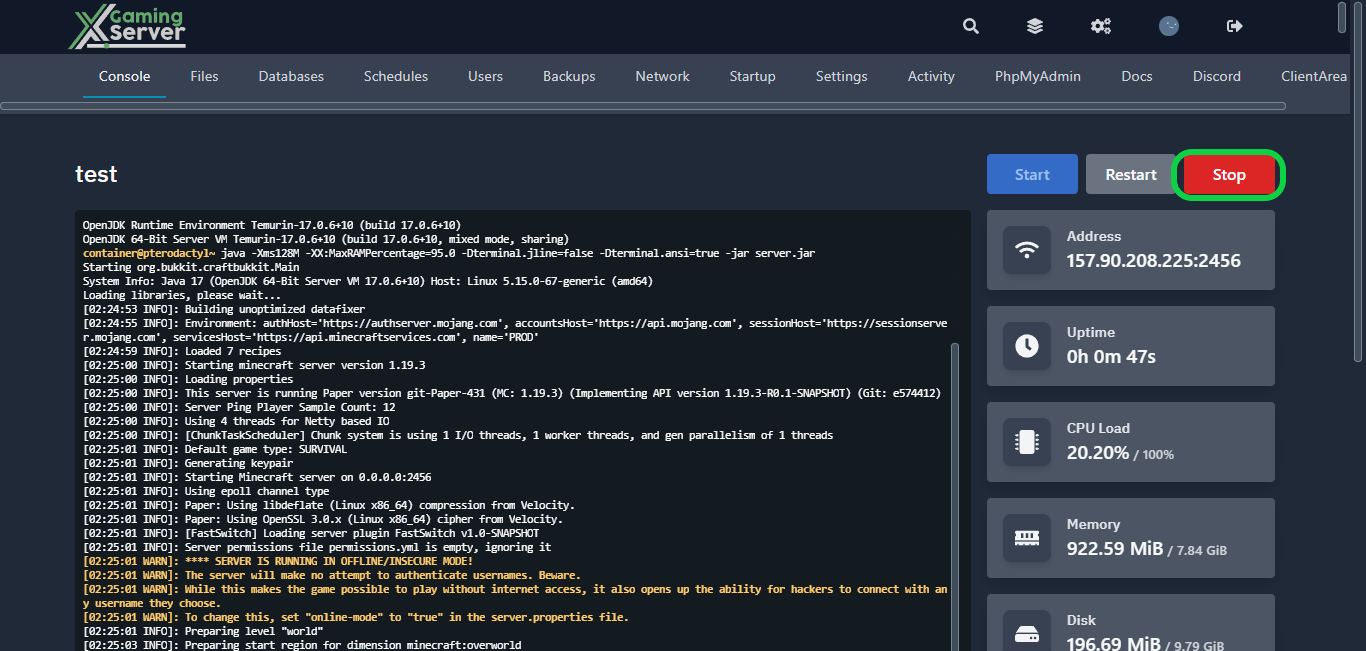
2- Go to the “Files” tab, then go to “config” and open “paper-global.yml“
From here, you’ll have complete control over customizing some aspect of your game. Here’s a list of the things you can customize.
_version: the version number of the configuration file.chunk-loading: settings related to how chunks are loaded and sent to players.chunk-system: settings related to the chunk generation system.collisions: settings related to how entities collide with each other.commands: settings related to commands and their behavior.console: settings related to the behavior of the console.item-validation: settings related to the validation of item properties.logging: settings related to logging and debugging.messages: settings related to various messages sent by the server.misc: miscellaneous settings not covered by other categories.packet-limiter: settings related to limiting the rate of certain types of packets.player-auto-save: settings related to automatically saving player data.proxies: settings related to proxy servers.scoreboards: settings related to scoreboards and their behavior.spam-limiter: settings related to limiting various forms of spam.timings: settings related to server performance profiling.unsupported-settings: settings related to features that are not officially supported by Paper.watchdog: settings related to monitoring server performance and preventing crashes.
3- After configuring your settings, hit “Save Content“, then start your server
If you need any help with your service don’t hesitate to contact us through our support tickets at https://billing.xgamingserver.com/submitticket.php
Free Minecraft Tools
Speed up your server with our free Minecraft tools:
Ready to play?
Run your own Minecraft server with XGamingServer
Spin up an always-on Minecraft server your friends can join in minutes — no port-forwarding, no tech headaches.






