

It is critical to secure your BungeeCord Minecraft network in order to provide a safe gameplay experience for your players. This article offers helpful guidance on how to protect your network from typical security threats, such as hackers griefing your server.
In this article we will be using plugin “BungeeGuard“, If you don’t know how to use plugins on your Minecraft server, then please take a look at this article “How to install plugins on your Minecraft server“
How to use the plugin?
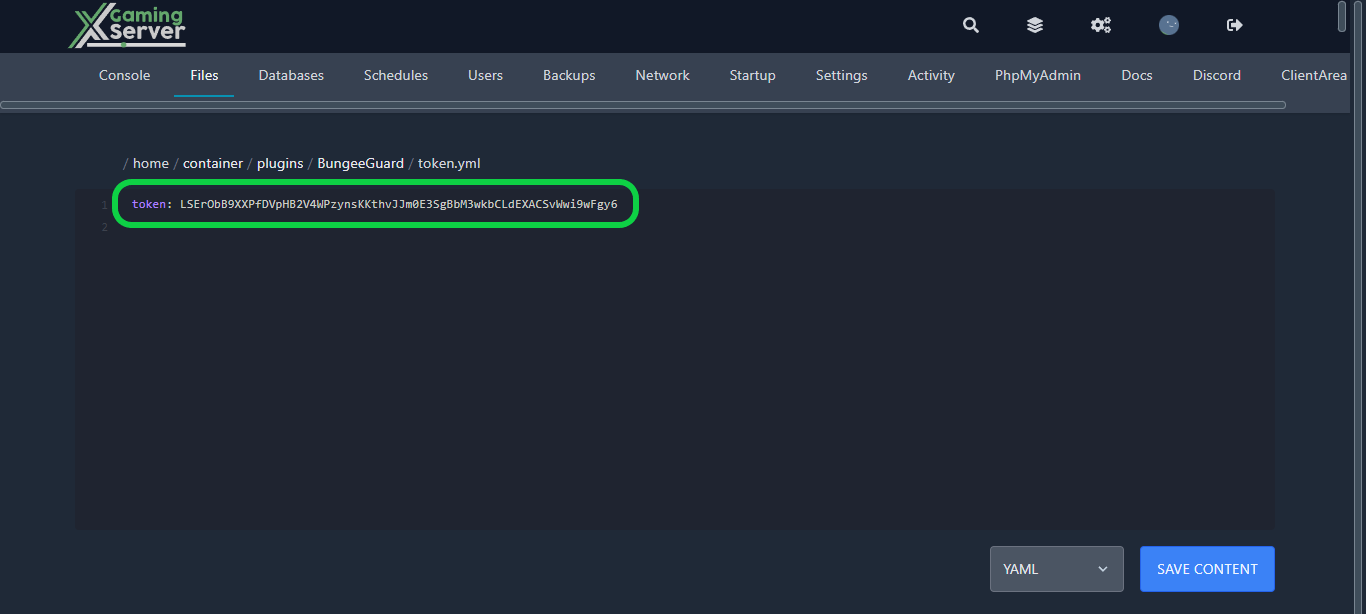
1- Go to your Bungeecord proxy and stop it, then go to the “Files” tab, then head to this directory “home/container/plugins/BungeeGuard/token.yml” you will see a token, copy it
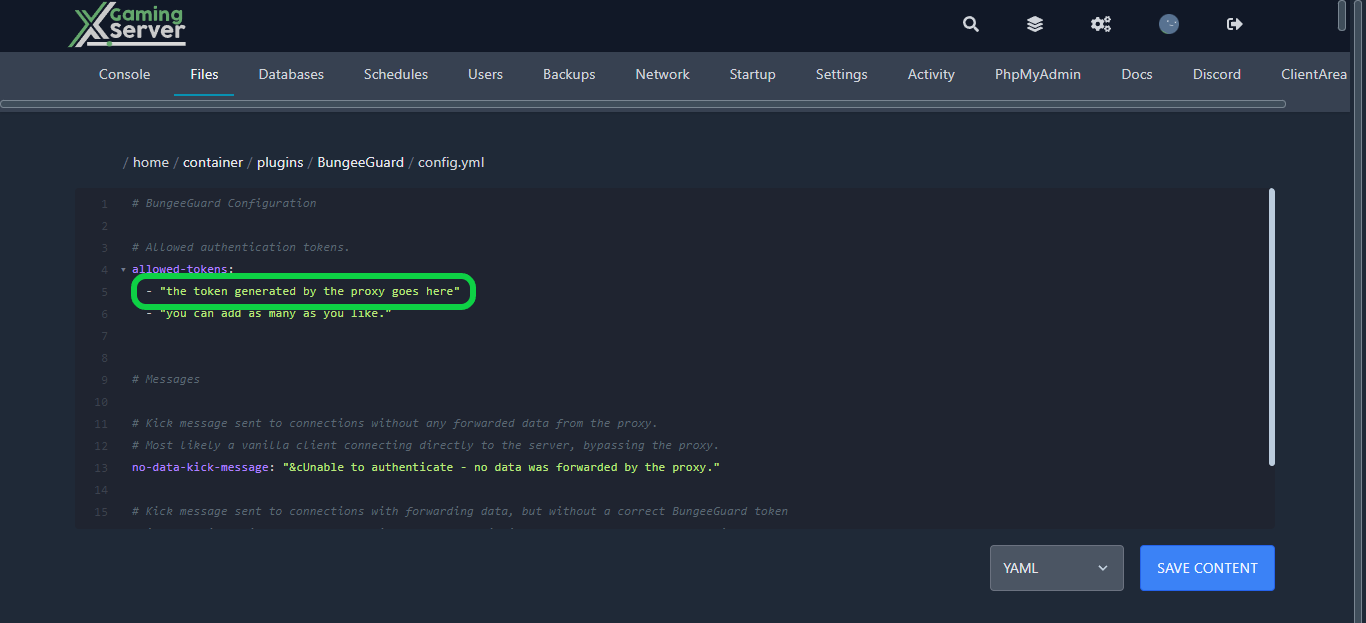
2- go to your backend servers go to the same directory “home/container/plugins/BungeeGuard/token.yml” and paste the token that you copied earlier
If you need any help with your service don’t hesitate to contact us through our support tickets at https://billing.xgamingserver.com/submitticket.php
Free Minecraft Tools
Speed up your server with our free Minecraft tools:
Ready to play?
Run your own BungeeCord server with XGamingServer
Spin up an always-on BungeeCord server your friends can join in minutes — no port-forwarding, no tech headaches.






