
Minecraft is a game that allows players to explore a vast and open world, but it’s not always a friendly place. At night or in dark areas, players may encounter monsters such as zombies, skeletons, and creepers that can attack and kill them. For players who want to focus on building and exploring rather than fighting, it can be helpful to prevent monsters from spawning altogether and in this article we will show you how to stop monsters from spawning on your Minecraft server and create a safer environment for your server players!
How to stop Monsters spawning in your server:
1- Go to your server’s control panel, then hit “Stop” to stop your server
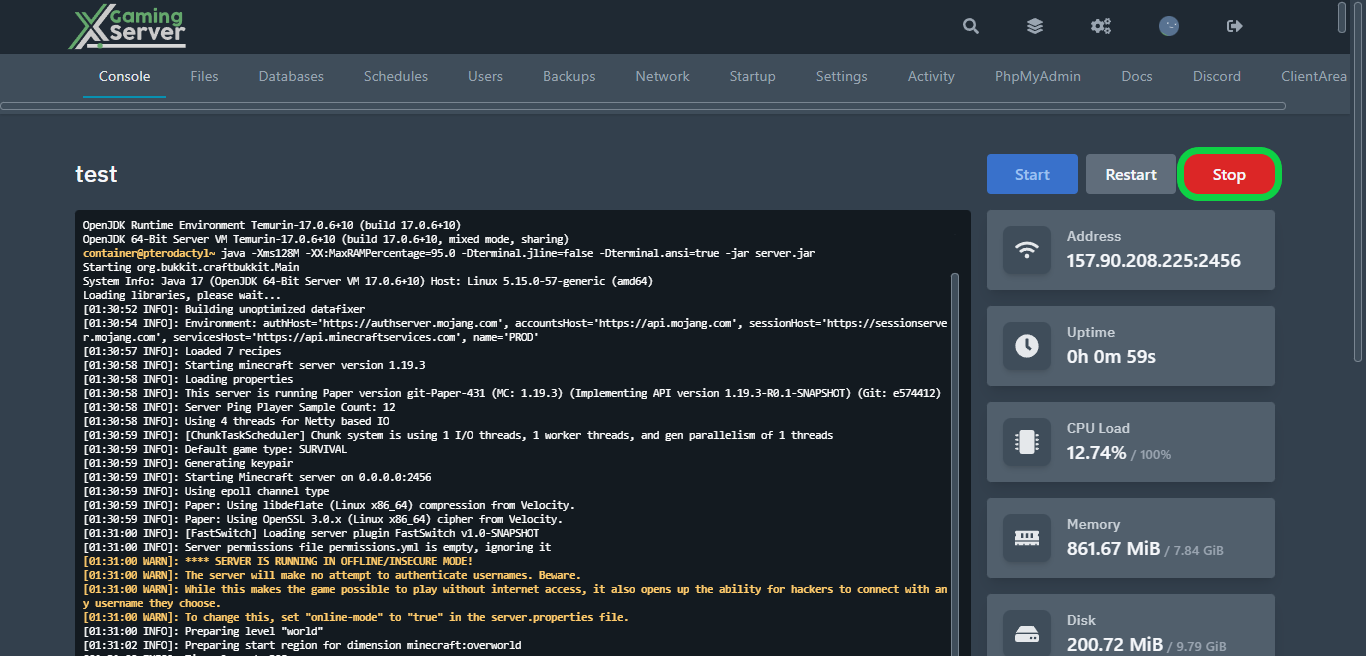
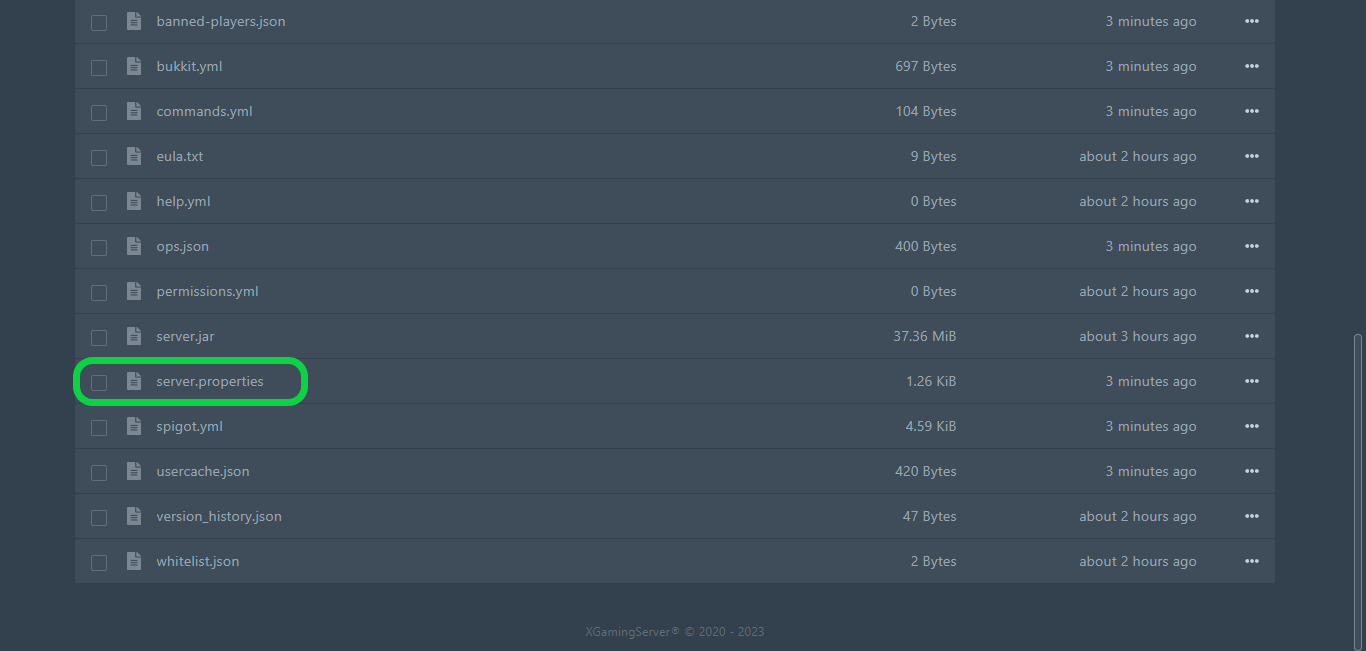
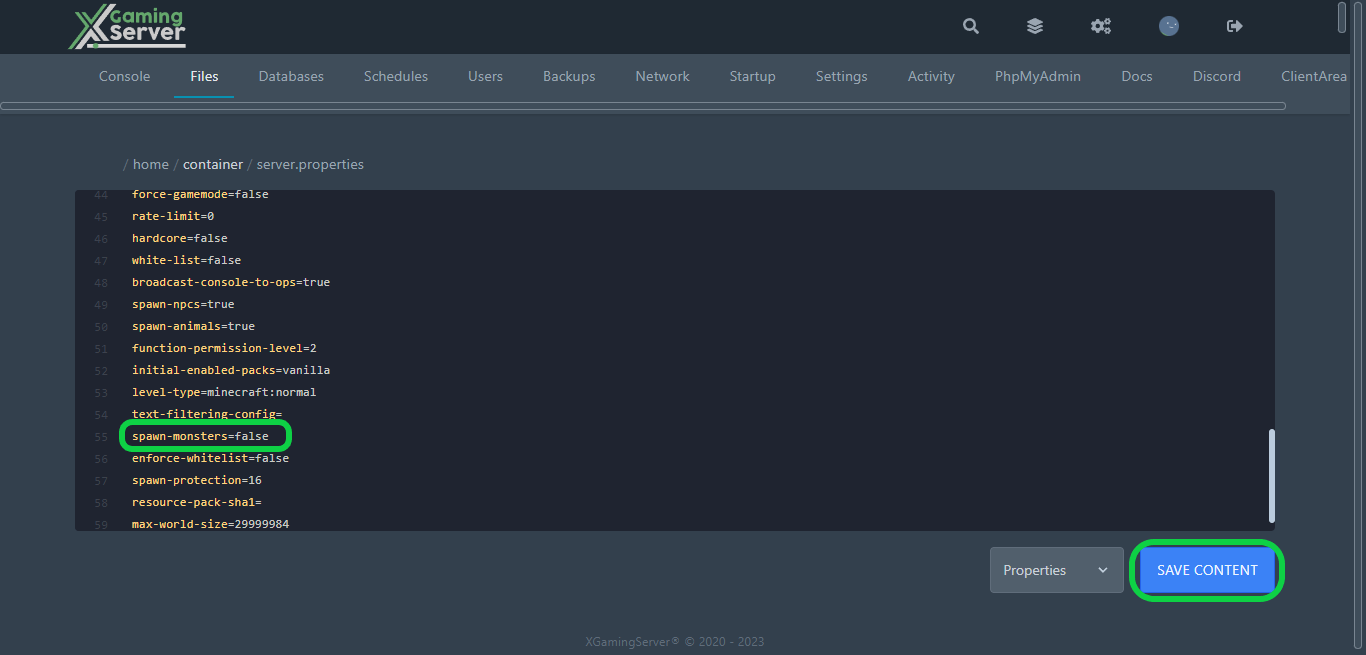
2- Head to “Files” tab, then open “server.properties“
3- Search for “spawn-monsters” and switch it from “true” to “false“, then hit “Save Content“
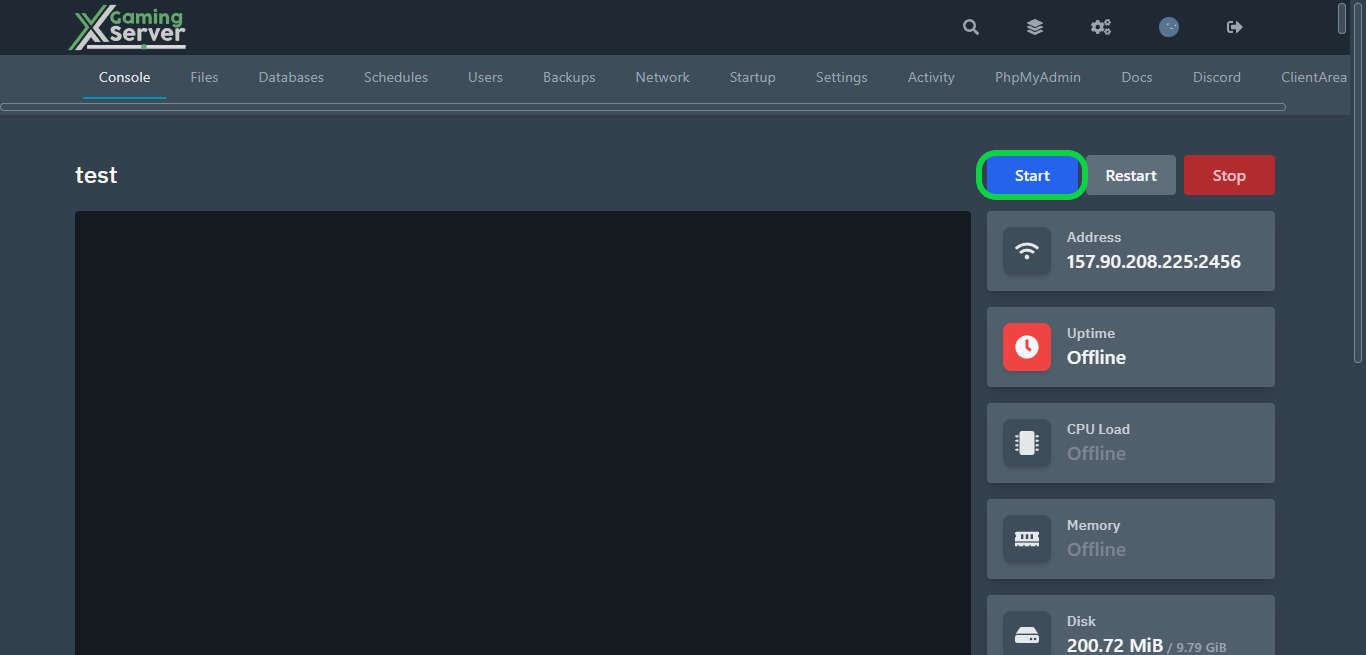
4- Go to the “Console” tab, then hit “Start” to start your server
If you need any help with your service don’t hesitate to contact us through our support tickets at https://billing.xgamingserver.com/submitticket.php
Free Minecraft Tools
Speed up your server with our free Minecraft tools:
Ready to play?
Run your own Minecraft server with XGamingServer
Spin up an always-on Minecraft server your friends can join in minutes — no port-forwarding, no tech headaches.






