In this guide, we will show you how to configure your newly rented Project Zomboid Server.
Basic Project Zomboid server Configuration
Go to the server and go to startup menu

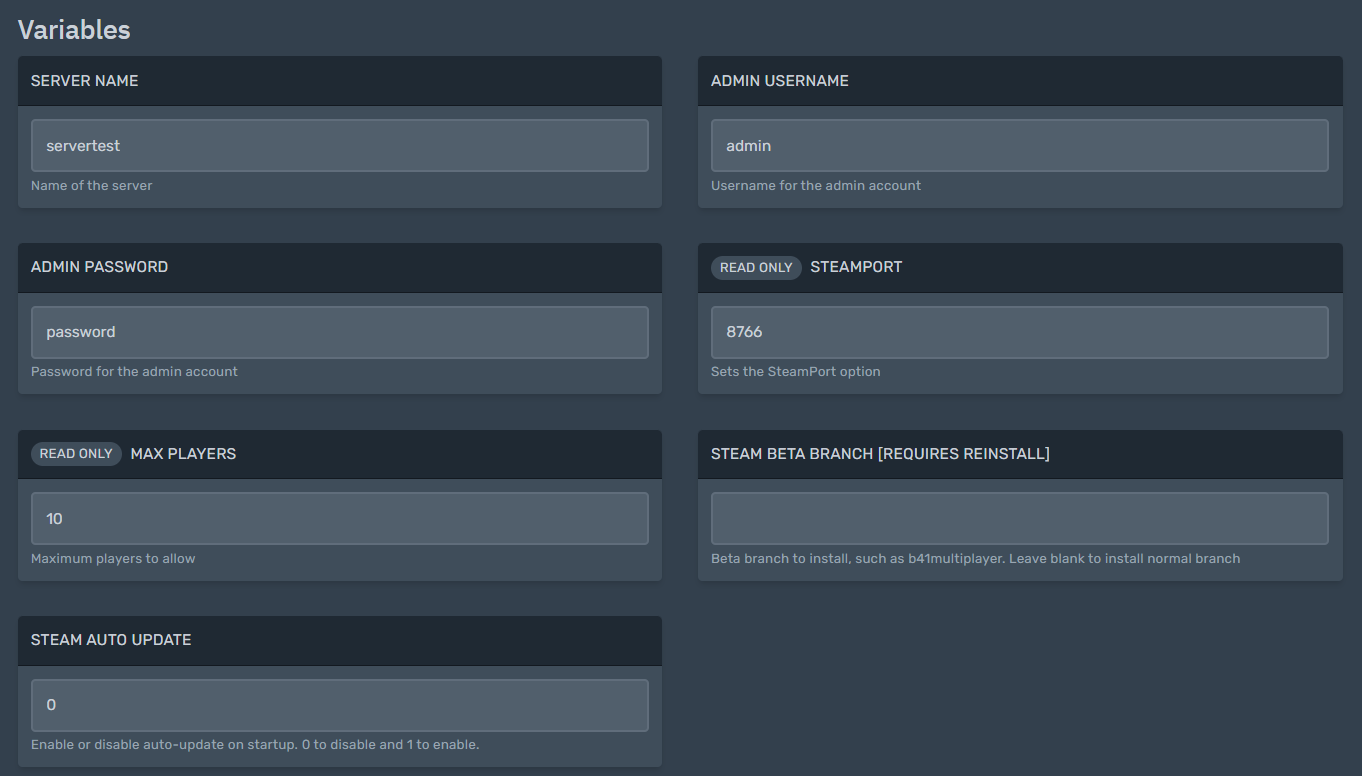
Here you will find several server variables.
1. First, you need to set up the server name this is important as if you are moving the server you should make sure you maintain the server name from your old server.
2.Set your admin Username and password. See how to login as admin here.
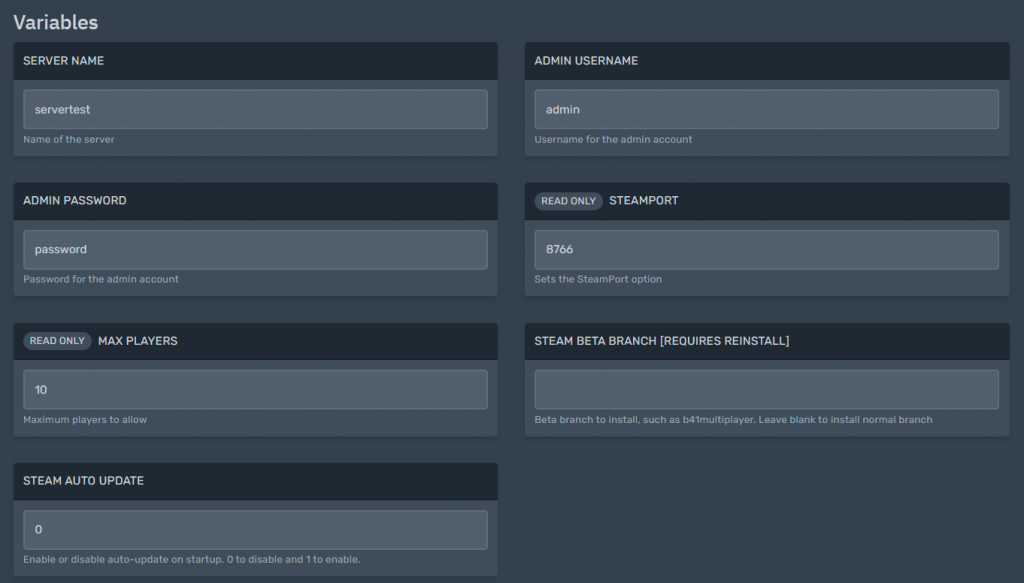
3. Steam port and max players are read-only. Please open a ticket in order to change this
4. Steam Beta Branch- This specifies the Project Zomboid Beta branch you want to install in your server, such as b41multiplayer. You can leave this blank to install normal branch. This needs a reinstall for your Project zomboid server branch that you want
5. Steam Auto Update – This enables or disables auto-update on startup. 0 to disable and 1 to enable.
6. reboot your server for the variables to take effect
Advanced PZ server configuration guide
Project Zomboid configuration depends on 4 files found in
/home/container/.cache/Server
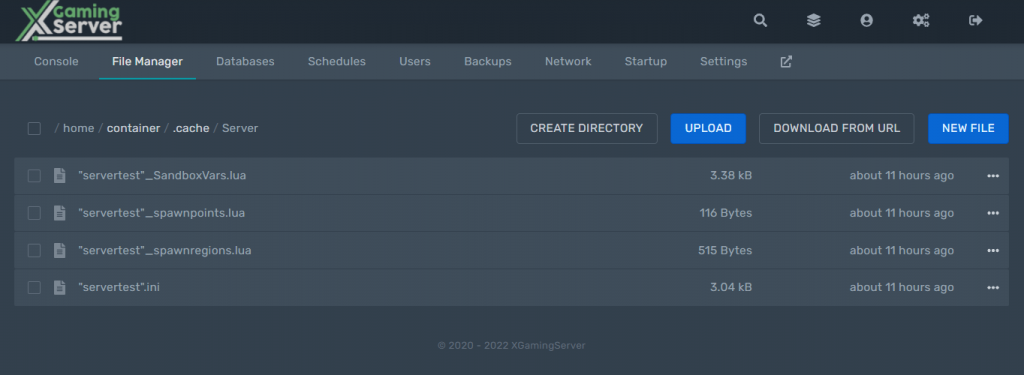
- Servertest.ini– Basic server config controlling things like servername, etc
- SandboxVars.lua: used for controlling gamestate, like number of zombies, amount of gas, brightness of night, perk points, etc.
- Spawnpoints.lua: Controls where you allow players to spawn in the world
- Spawn_regions.lua: What regions exist in the world. If you add custom map portions, this file should be edited automatically
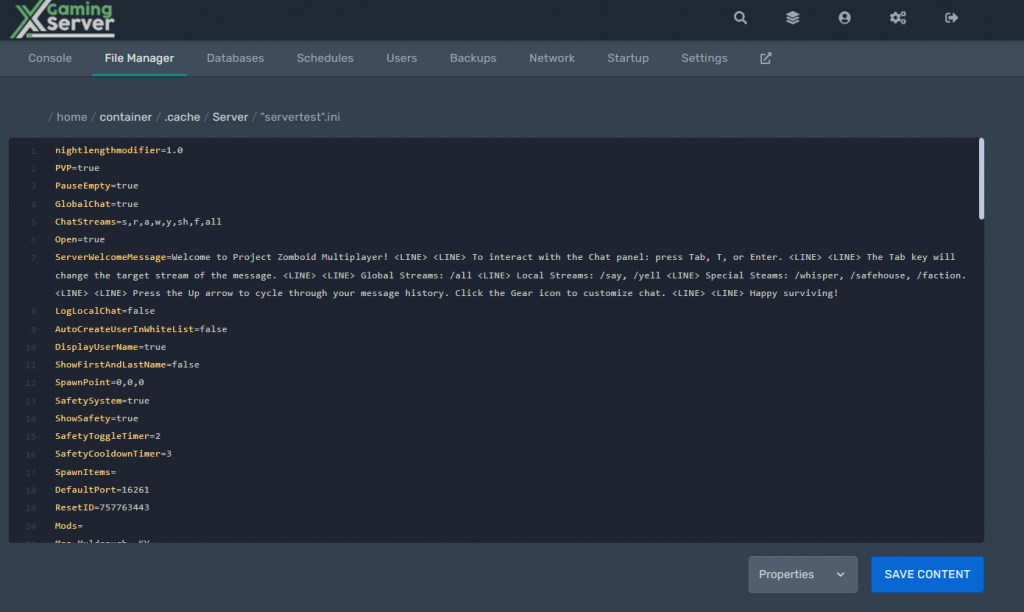
Servertest.ini
The name of this file will depend on the server name you did set earlier. Open the servertest.ini to customize your server to your liking
SandboxVars.lua
This file is used for controlling gamestate, like number of zombies, amount of gas, the brightness of night, perk points and more
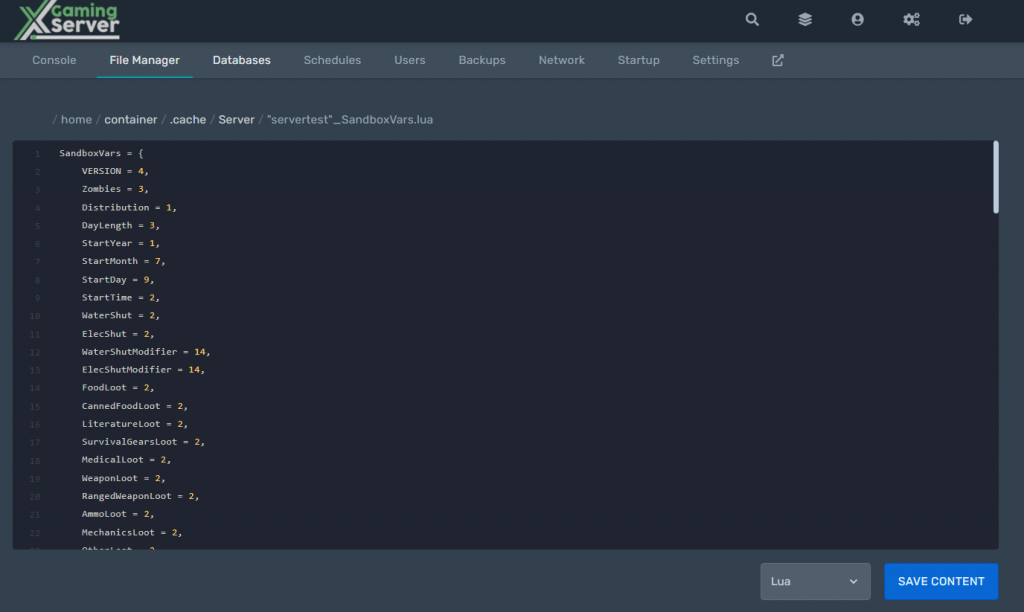
To find what each part does please see this guide
Spawnpoints.lua
This specifies the Spawn point coordinates when you die. TO find more how you can set spwan points see this guide.
Spawn_regions.lua
Sets the what regions exist in the world. If you add custom map portions, this file should be edited automatically
Some changes might need one to delete multiplayer saves for the changes to take place
Looking for a Project Zomboid Server to rent? Rent one from us
Ready to play?
Run your own Project Zomboid server with XGamingServer
Spin up an always-on Project Zomboid server your friends can join in minutes — no port-forwarding, no tech headaches.