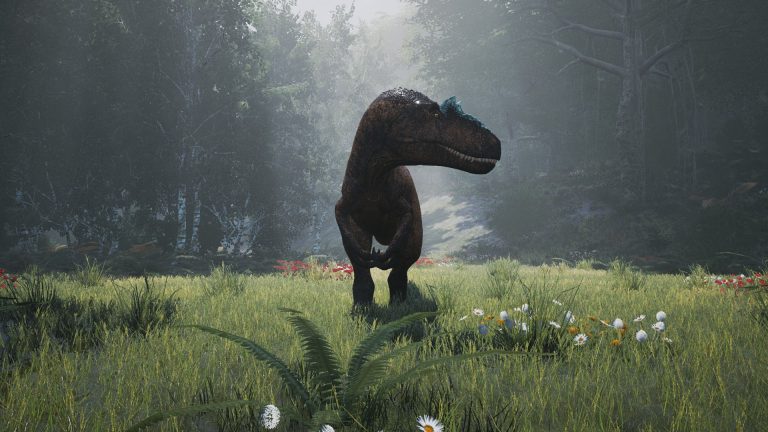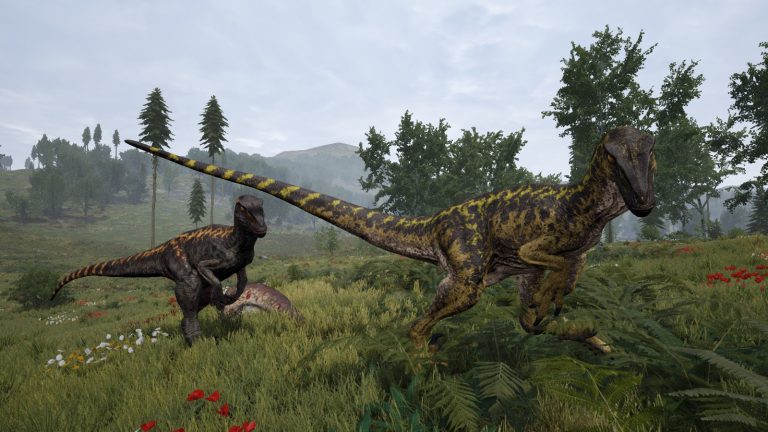
The day/night cycle is one of the most impactful settings you can tune on a The Isle Evrima server. Night isn’t just darker — it changes hunting behavior, visibility, and how vulnerable each species feels. A server running long, brutal nights plays completely differently from one bathed in near-permanent daylight. The good news is that the whole cycle is controlled by just two keys in your Game.ini, and once you understand how they relate to each other you can dial in anything from a relentless survival-horror night loop to a casual all-daylight roleplay map.
This guide walks through exactly which keys control the cycle, what the numbers actually mean in real-world minutes, several ready-to-paste presets, the ratio math that decides the “feel” of your server, and the restart step that trips up most first-time admins. Everything here is for the live Evrima branch — not the old Legacy build, which used different files and flags entirely.
The two keys that control the cycle
The day/night cycle on Evrima is governed by two settings inside the [/Script/TheIsle.TIGameSession] section of your Game.ini. There is no in-game slider and no separate “time of day” config — these two values are the cycle:
| Key | What it controls | Default |
|---|---|---|
ServerDayLengthMinutes | How many real-world minutes the daytime phase lasts | 45 |
ServerNightLengthMinutes | How many real-world minutes the nighttime phase lasts | 20 |
The critical thing to understand is that these are measured in real-world minutes, not in-game hours. ServerDayLengthMinutes=45 means the sun is up for 45 actual minutes on the wall clock before the server transitions into night. Likewise, ServerNightLengthMinutes=20 means 20 real minutes of darkness before sunrise. A full cycle with the default values therefore takes 65 real minutes (45 + 20) from dawn to dawn.
Both keys live in the same section as your server name, slot count, and RCON settings, so you don’t need to create a new section — just find or add these two lines. Here’s exactly where they sit:
[/Script/TheIsle.TIGameSession]
ServerName="My Evrima Server"
MaxPlayerCount=100
ServerDayLengthMinutes=45
ServerNightLengthMinutes=20
A single typo in the section header or key name will cause the server to silently ignore your value and fall back to its internal default — so copy the casing exactly. If you’ve edited a Game.ini before while setting up your The Isle Evrima dedicated server, the format will look familiar.
Where to find Game.ini
The file location depends on which operating system your server runs on. The config folder is only generated after the server has been launched at least once, so if you don’t see it yet, start the server once and stop it:
- Windows:
TheIsle\Saved\Config\WindowsServer\Game.ini - Linux (Ubuntu):
TheIsle/Saved/Config/LinuxServer/Game.ini
If you’re on a managed host, this file is almost always exposed through a web-based config editor or file manager, so you won’t need to touch the raw filesystem. On our managed The Isle Evrima hosting the Game.ini is a click away in the control panel, and the server-restart step that applies your changes is a single button. For a full panel-by-panel walkthrough of editing the config files, see the The Isle setup documentation.
Understanding the day-to-night ratio
The two keys are independent, which means you control the length of day and night separately rather than setting a single “cycle speed.” The relationship between them — the ratio — is what defines the personality of your server.
With the defaults of 45 minutes of day and 20 of night, the ratio is roughly 2.25:1 in favor of daylight. That’s a comfortable, slightly day-weighted balance: players get plenty of light to grow, hunt, and explore, but night still arrives often enough to matter. To work out the share of each phase, divide one length by the total:
- Day share = day ÷ (day + night) → 45 ÷ 65 ≈ 69% daylight
- Night share = night ÷ (day + night) → 20 ÷ 65 ≈ 31% darkness
If you want night to feel threatening and tense — better for predator-heavy or survival-focused servers — push the night length up and the day length down to flatten that ratio toward 1:1. If you run a roleplay or casual community where players dislike fumbling around in the dark, widen the ratio in favor of day (or set night extremely short). The numbers below show how a few common choices play out.
Day/night presets you can paste
Below are tested starting points. Drop the two lines into your [/Script/TheIsle.TIGameSession] section, save, and restart. Treat them as starting points — most communities iterate a couple of times before they land on the feel they want.
| Preset | Day (min) | Night (min) | Full cycle | Feel |
|---|---|---|---|---|
| Vanilla default | 45 | 20 | 65 min | Balanced, day-weighted |
| Long realistic days | 90 | 40 | 130 min | Slow, immersive, fewer transitions |
| Tense survival nights | 30 | 30 | 60 min | Even 1:1 — night feels dangerous |
| Predator’s playground | 20 | 40 | 60 min | Night-heavy, ambush-friendly |
| Near-permanent day (RP) | 120 | 5 | 125 min | Almost always bright |
| Fast cycle (testing) | 10 | 5 | 15 min | Rapid transitions for tuning |
For example, the tense survival preset looks like this in the file:
[/Script/TheIsle.TIGameSession]
ServerDayLengthMinutes=30
ServerNightLengthMinutes=30
And the long, immersive variant:
[/Script/TheIsle.TIGameSession]
ServerDayLengthMinutes=90
ServerNightLengthMinutes=40
There’s no enforced minimum or maximum documented for these values, so you have a lot of latitude. Just keep in mind that extremely short phases (under a few minutes) cause constant, jarring lighting transitions that most players find disorienting, while very long phases mean some players may only ever experience one part of the cycle in a single session.
You must restart the server to apply changes
This is the step that catches almost everyone. The Isle Evrima reads Game.ini at startup. Editing the file while the server is live does nothing on its own — the running process already has the old values loaded in memory. To apply a new day/night cycle you must:
- Stop the server completely (not just save).
- Edit and save
Game.iniwith your newServerDayLengthMinutes/ServerNightLengthMinutesvalues. - Start the server again.
If you edit the file while the server is running and then later stop it normally, there’s a real risk the server writes its in-memory config back out on shutdown and overwrites your edits. To be safe, always edit while the server is stopped. On a managed panel, use the dedicated Stop and Start buttons rather than a soft reload, and confirm the file still shows your values after the restart.
One thing the day/night keys do not require is the RCON system — but if you’d rather not restart every time, note that other live tuning (like AI density or growth) can be changed on the fly via RCON. The cycle itself, however, is a startup-only value. For a full breakdown of what can be changed live, see our The Isle Evrima admin commands guide.
How the cycle interacts with other settings
The day/night cycle doesn’t exist in a vacuum. A few neighboring keys in the same [/Script/TheIsle.TIGameSession] section shape how the cycle feels in practice:
GrowthMultiplier— Growth happens in real time regardless of the cycle. At the defaultGrowthMultiplier=1, a T. rex takes roughly 10 hours to reach adulthood, so the day/night length only changes how many cycles a player lives through during that grind, not the grind length itself. If you raise growth speed, players will pass through fewer night phases on the way to adult. We cover this in detail in the growth speed guide.bRandomWeatherEnabled— With random weather on (defaulttrue), overcast or stormy conditions can make even the daytime phase feel dim, effectively extending the “dark” experience without touching the night length.bSpawnAIandAIDensity— More huntable AI means more activity during whatever phase players are awake for; a night-heavy server with dense AI feels far more dangerous than the numbers alone suggest.
Quick reference: cycle math
To sanity-check any preset before you commit, use these simple formulas:
- Full cycle length (real minutes) =
ServerDayLengthMinutes+ServerNightLengthMinutes - Cycles per hour = 60 ÷ full cycle length
- Daylight percentage = day ÷ (day + night) × 100
So a 90/40 setup gives a 130-minute cycle, about 0.46 cycles per hour, and 69% daylight — coincidentally the same daylight share as vanilla, just stretched out so transitions happen half as often. That’s the power of controlling the two values independently: you can keep a familiar ratio while completely changing the tempo.
Frequently asked questions
What are the default day and night lengths on The Isle Evrima?
The default is ServerDayLengthMinutes=45 and ServerNightLengthMinutes=20, both found in the [/Script/TheIsle.TIGameSession] section of Game.ini. That produces a 65-minute full cycle that’s roughly 69% daylight and 31% night. These are real-world minutes, not in-game hours.
How do I make night last longer (or shorter) on my Evrima server?
Increase ServerNightLengthMinutes to make night longer, or decrease it to make night shorter. For example, ServerNightLengthMinutes=40 doubles the default darkness. Because the day and night keys are independent, you can lengthen night without touching the day length at all. Save the file and restart the server for the change to take effect.
Can I make it always daytime on The Isle Evrima?
There’s no dedicated “always day” toggle, but you can get extremely close by setting a very long day and a near-zero night, for example ServerDayLengthMinutes=120 and ServerNightLengthMinutes=5. Players will experience a brief, almost negligible night and otherwise constant daylight — popular on roleplay servers where navigating in the dark is frustrating.
Why didn’t my day/night cycle change take effect?
The two most common causes are: (1) you edited Game.ini while the server was running, so it never reloaded the file — always stop the server, edit, then start; and (2) a typo in the section header [/Script/TheIsle.TIGameSession] or in the key name, which makes the server silently revert to the default value. Double-check the exact spelling and casing, and confirm your edits survived the restart. If the server itself won’t come back up or stops appearing in the list, our server-not-showing fix guide and the players-can’t-connect troubleshooting guide cover the usual culprits.
Is the day/night length measured in real minutes or in-game hours?
Real-world minutes. ServerDayLengthMinutes=45 means the sun is up for 45 actual minutes on the clock, then the server transitions into ServerNightLengthMinutes minutes of night. This makes it easy to plan: just add the two numbers to get the total real-time length of one full dawn-to-dawn cycle.
What hardware do I need to run a smooth Evrima server with these settings?
The day/night cycle itself is cheap to run, but Evrima is single-thread bound, so clock speed matters more than core count — aim for 3.5 GHz+ per core. Memory scales with slots and AI: roughly 6–8 GB for small servers, 8–12 GB for 50–100 players, and 12–16 GB for full 100+ slot servers with AI on. For the complete breakdown, see our Evrima server requirements guide.
Wrapping up
Changing the day/night cycle on The Isle Evrima comes down to two keys — ServerDayLengthMinutes and ServerNightLengthMinutes — both in the [/Script/TheIsle.TIGameSession] section of Game.ini, both measured in real-world minutes, and both applied only after a full server restart. Start from the vanilla 45/20, decide whether you want a day-weighted, balanced, or night-heavy ratio, paste in one of the presets above, and iterate until the rhythm matches your community. Once you’ve nailed it, the rest of the survival experience — predators in the dark, growth grinds, weather — falls into place around the cycle you’ve built.
Free The Isle Tools
Speed up your server with our free The Isle tools:
Ready to play?
Run your own The Isle Evrima server with XGamingServer
Spin up an always-on The Isle Evrima server your friends can join in minutes — no port-forwarding, no tech headaches.