Go to the control panel and copy the IP address and port
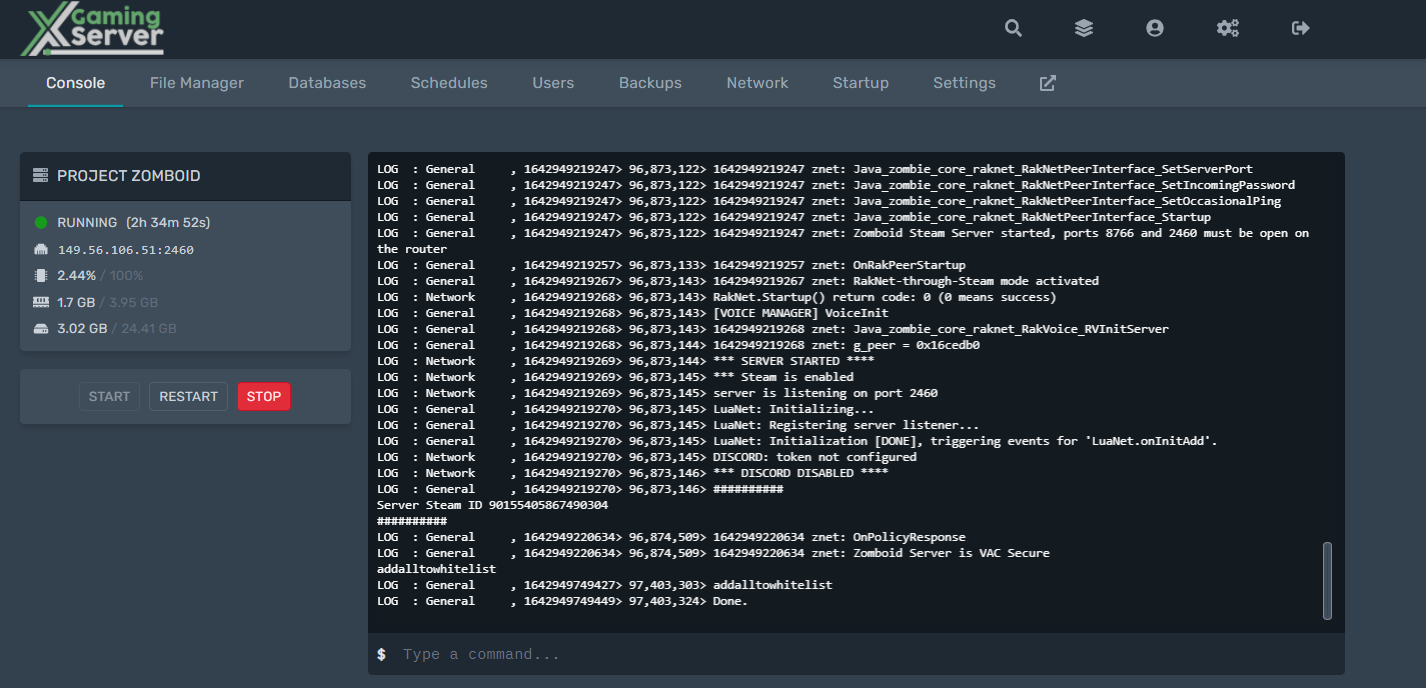
Open steam view>servers and click favorites

Click add server ad pste the IP address and port that you copied
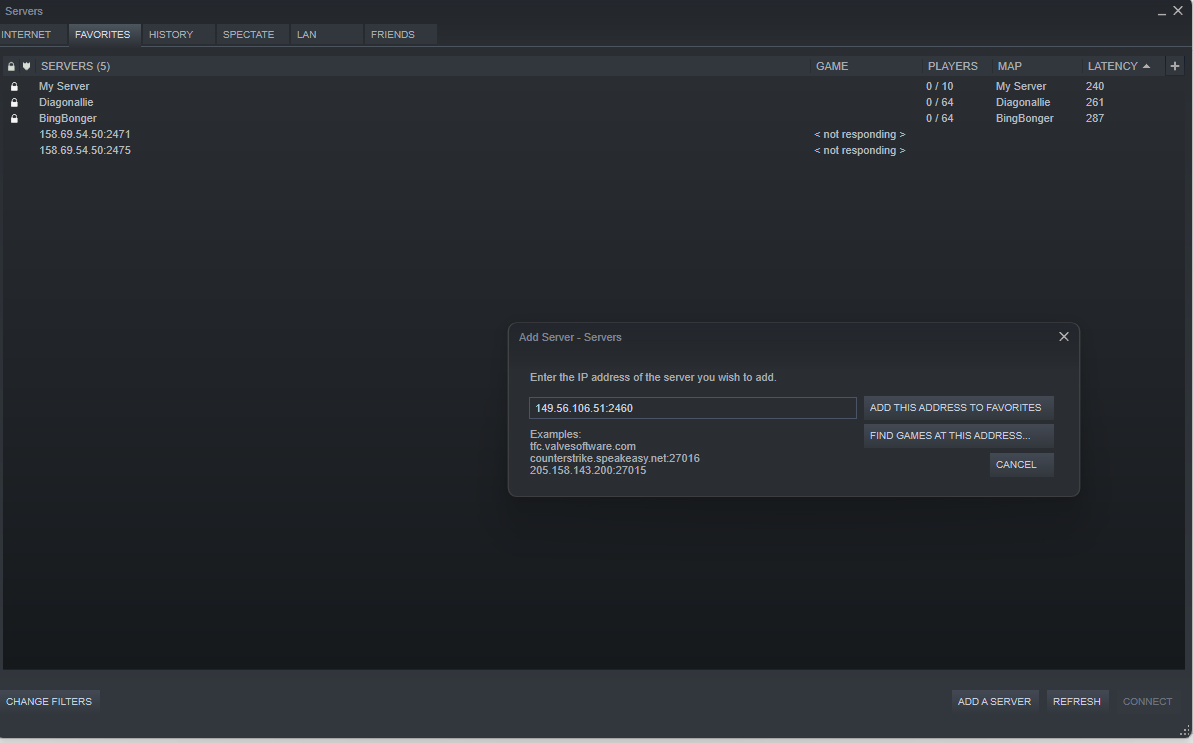
after adding the server to steam you will see the server listed
eg MyPZ Server

And now you can select and connect to your server.
You can also view how to become an admin on Project Zomboid
Looking for a Project Zomboid Server to rent? Rent one from us

Ready to play?
Run your own Project Zomboid server with XGamingServer
Spin up an always-on Project Zomboid server your friends can join in minutes — no port-forwarding, no tech headaches.
99.9%Uptime SLA
< 5 minInstant setup
24/7Human support
DDoSProtected
Instant setup
Your server is live in minutes with a one-click control panel.
Mods & plugins
Install mods, plugins and workshop content in a few clicks.
DDoS protected
Enterprise DDoS mitigation keeps your server online 24/7.
Low-latency hardware
Premium CPUs & NVMe SSDs for lag-free multiplayer.
Free backups
Automatic backups so your world is never lost.
Real human support
Gamers helping gamers — 24/7, no bots, no scripts.